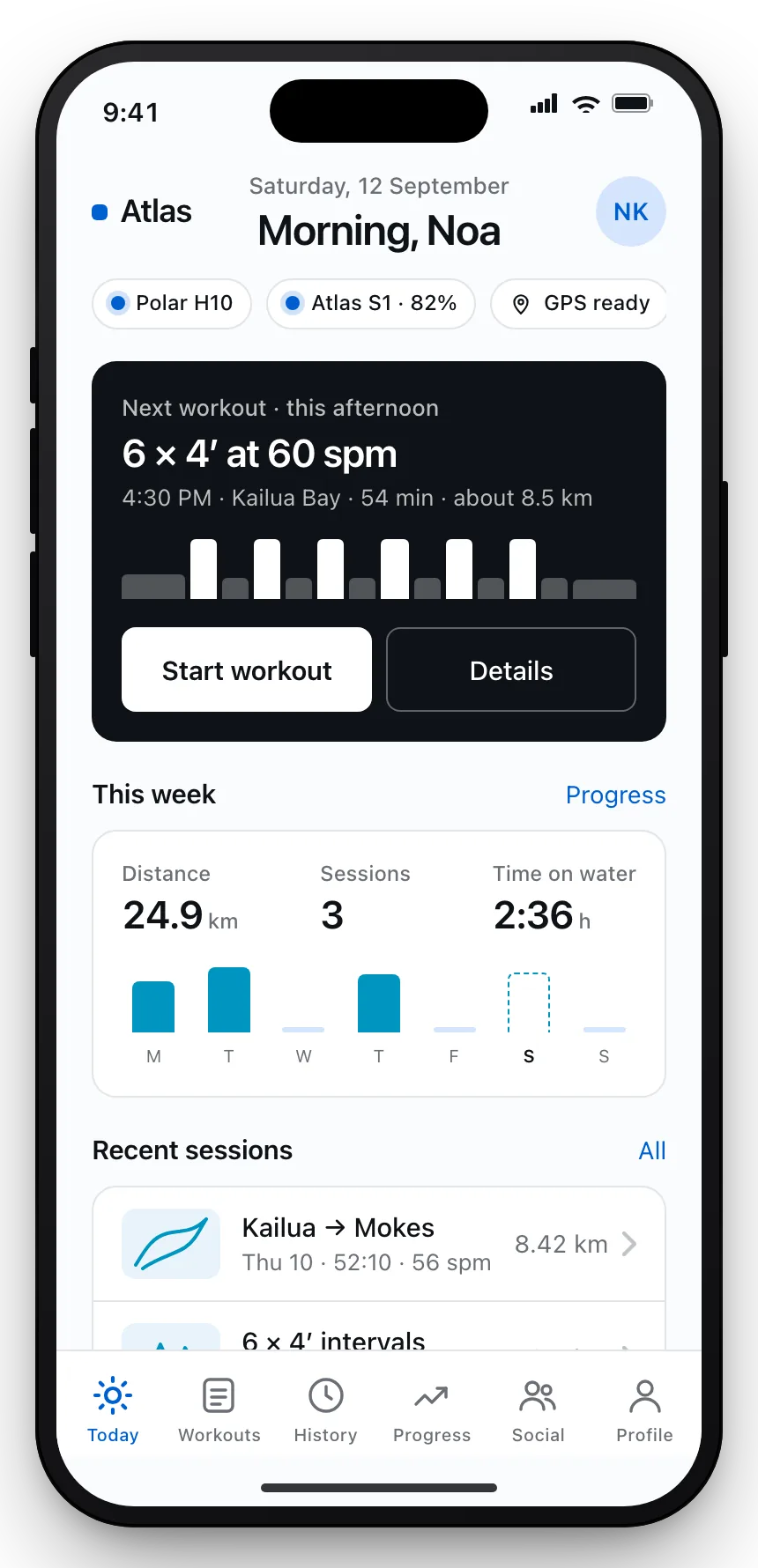
iPhone app · Atlas S1 boat sensor
See every stroke. Keep every session.
Your iPhone and the boat-mounted Atlas S1 sensor, working as one OC1 training system. Stroke rate, speed and distance per stroke, readable in full sun.
Will use your Torix Account. One sign-in for every Torix product, with no separate signup. Atlas will open to you when your waitlist place does. Sign in
- Stroke rate
- Boat speed
- Split / 500 m
- Distance per stroke
- Stroke count
- Stroke power
- Heart rate, via watch or strap
 Sample UI
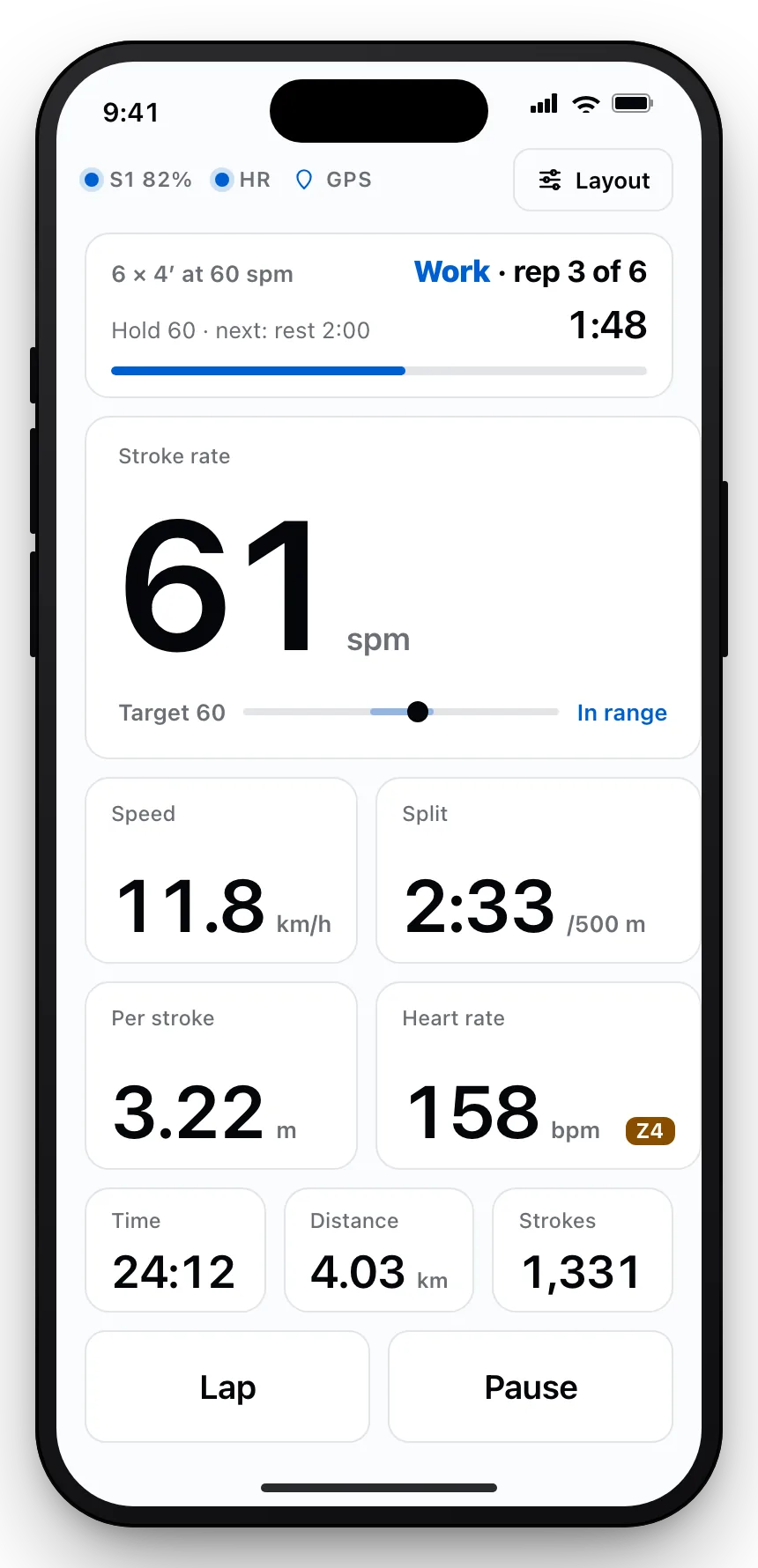
Live, right now: rep 3 of 6 at 60 strokes a minute. The real Atlas screen, on sample data.
On the water
Readable at noon, at 60 strokes a minute.
The moment you start, the live dashboard switches to big high-contrast numerals: white on near-black in dark mode, ink on off-white in light. Big tiles, big buttons, nothing that needs a second look.
Your tiles, your order
Pick which metrics show and which one gets the hero slot. Rate for interval days, split for time trials.
Mount it either way
Rotate the phone and the dashboard re-lays itself. Hero metric on the left, Lap and Pause in a column under your thumb.
Follow the plan rep by rep
Start a planned workout and Atlas counts reps, holds your target band and tells you what comes next.
 Sample UI
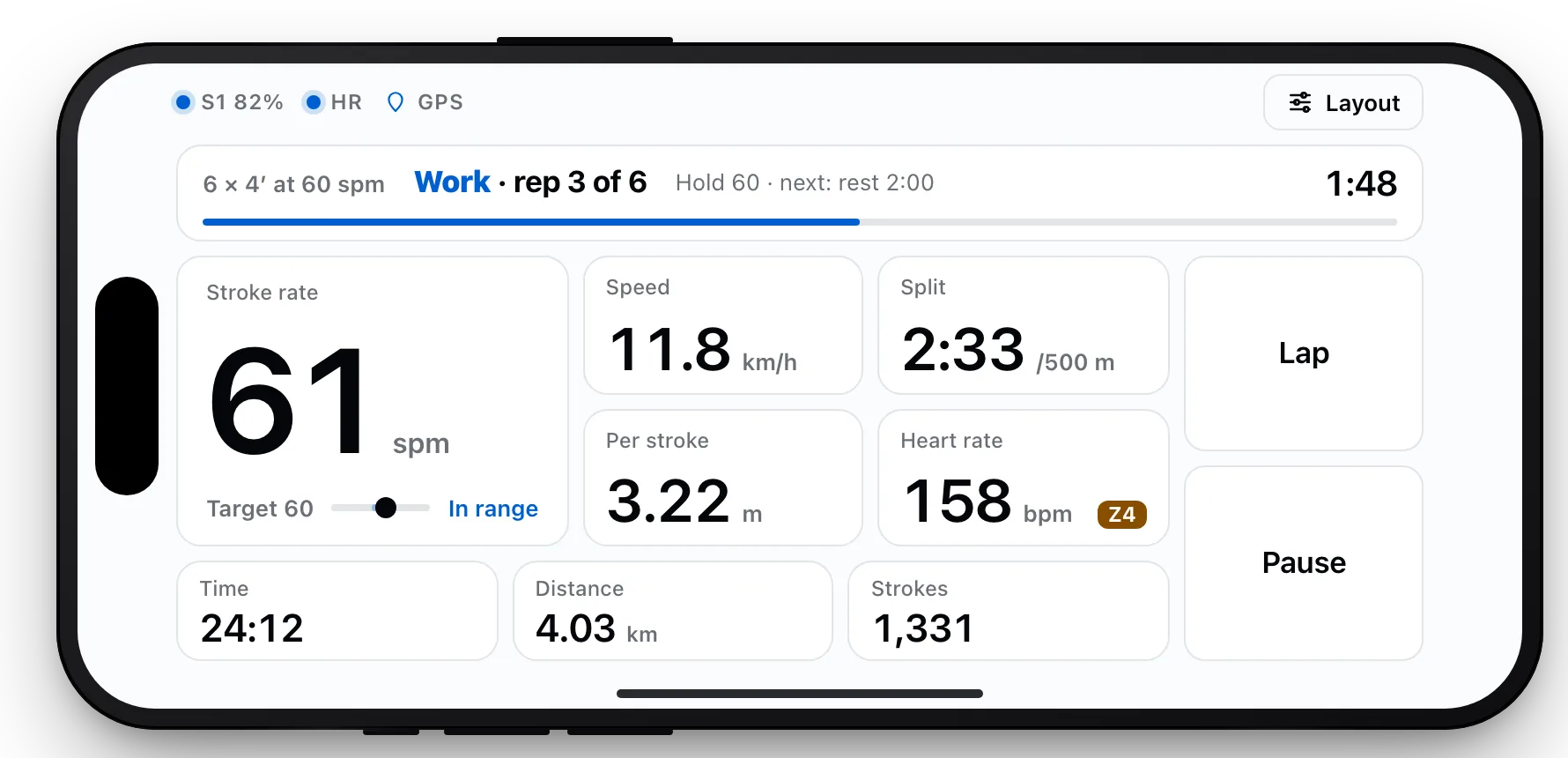 Sample UI
After the paddle
Every session, kept on the phone.
Finish a workout and it is saved before you have unclipped the leash. No signal required, nothing waiting on an upload.
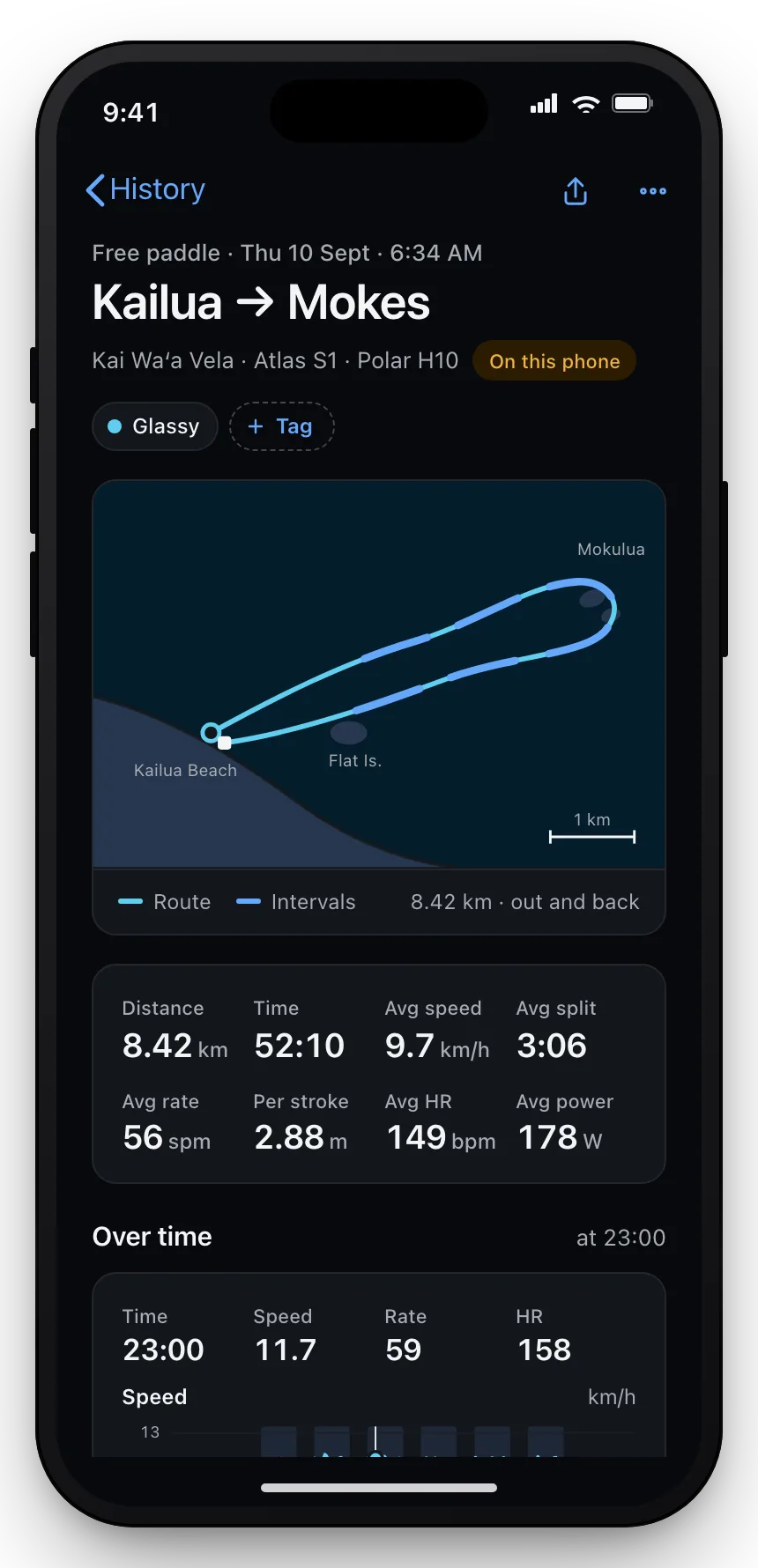
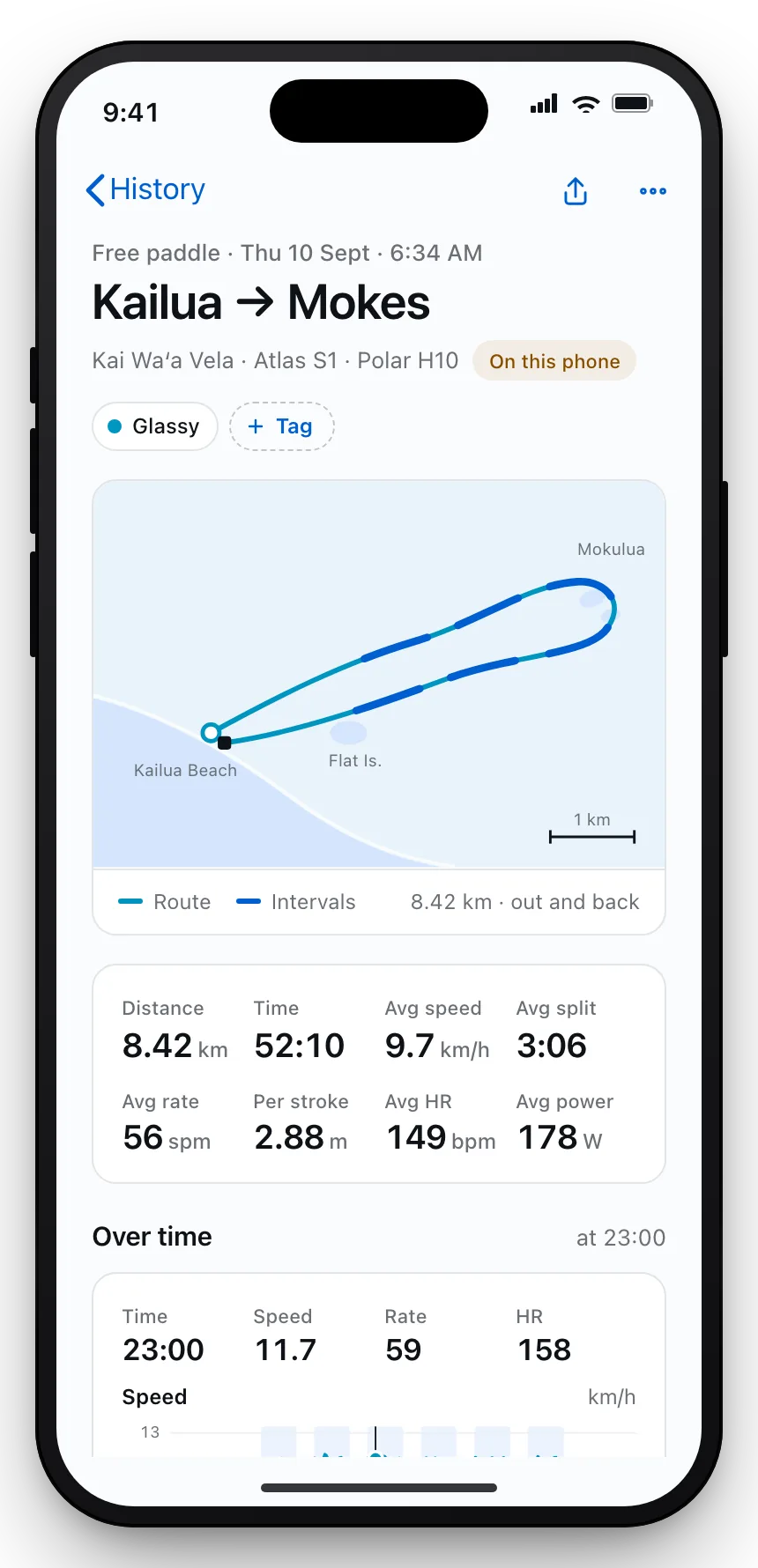
GPS route with your fast pieces marked
The map shows where you were quick, not just where you went. Tap any piece to jump to it in the charts.
Speed, rate, heart rate and power over time
Scrub to any second of the session and read all four at once.
Intervals found for you, fixed by you
Atlas detects work and rest from your stroke rate. Split, merge or trim any piece it gets wrong.
 Sample UI
Progress
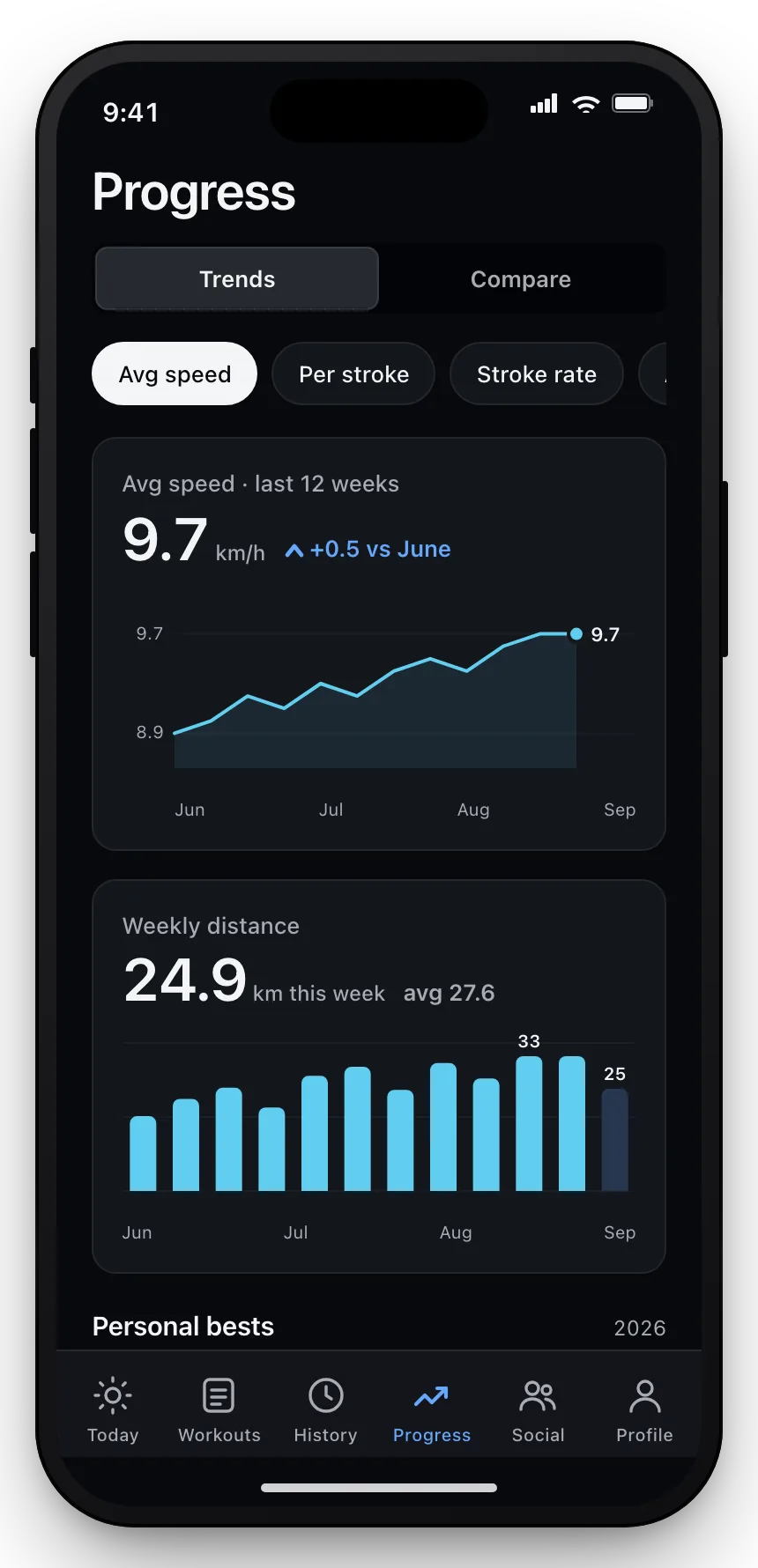
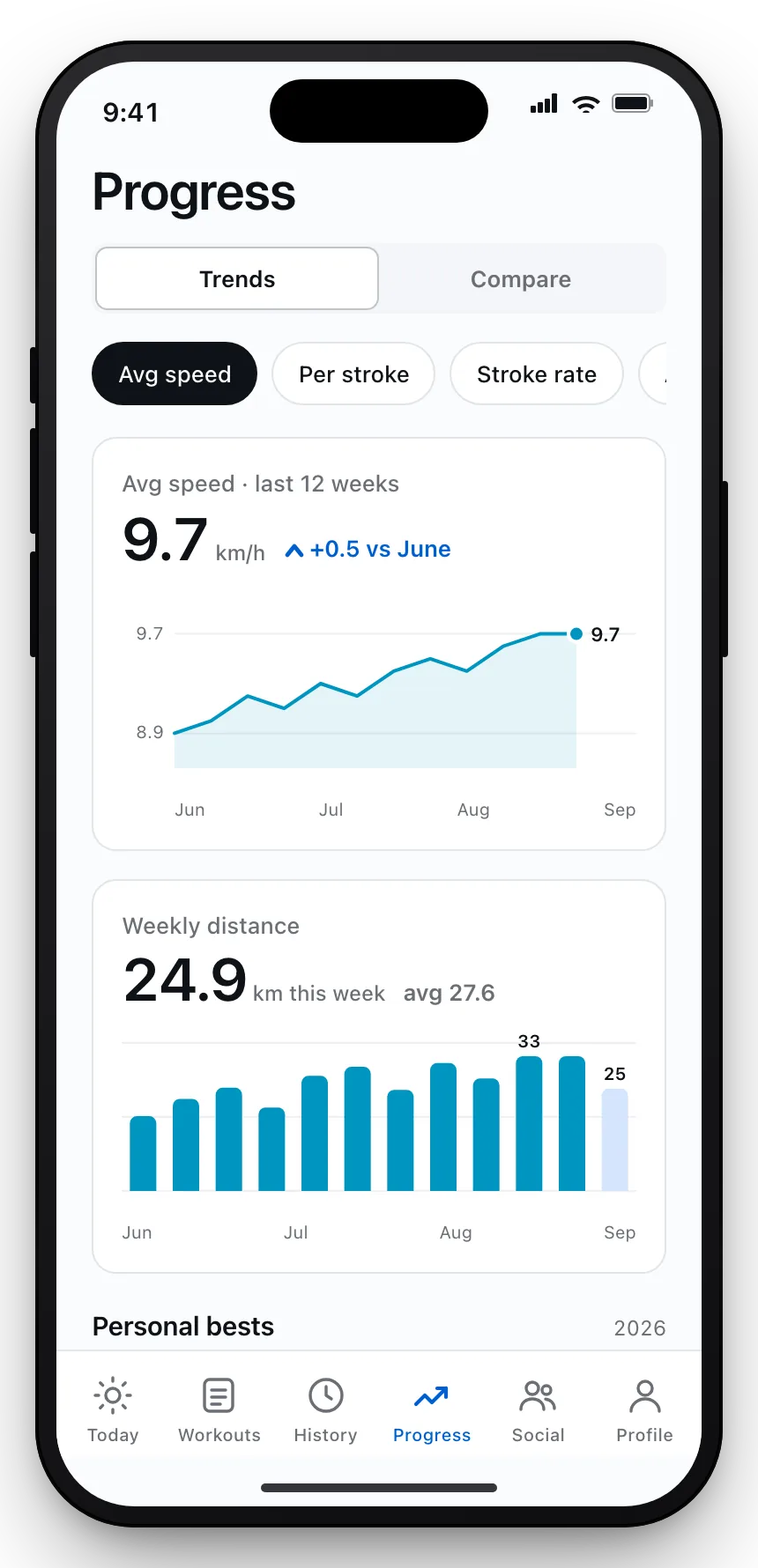
Twelve weeks at a glance.
Trends that answer the question you actually have: is the work paying off?
Weekly volume, average rate, best 500 m
Each trend against the same twelve weeks, so a good month looks like one.
Compare two sessions side by side
Same course, two Thursdays. See where the speed came from.
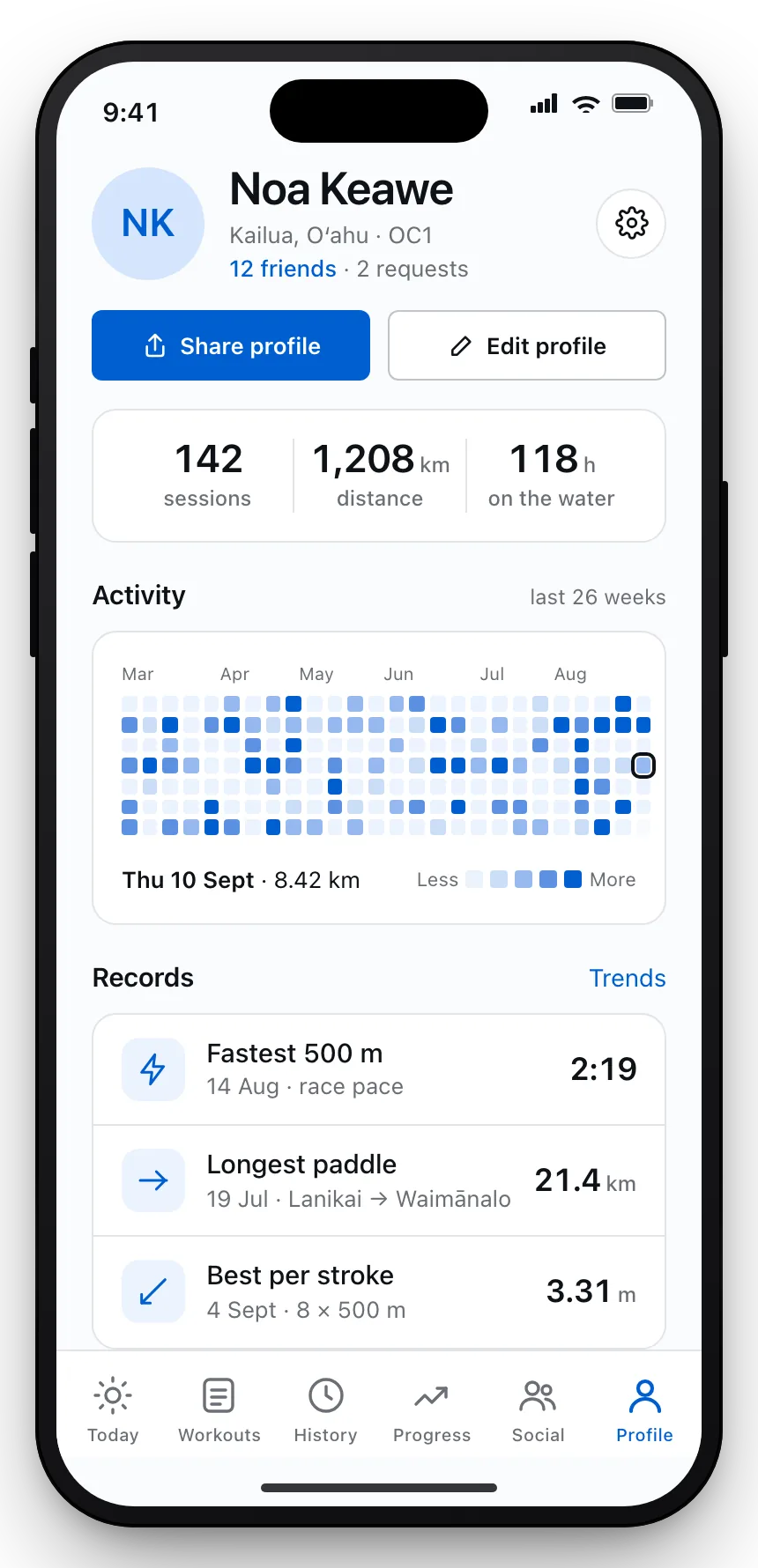
An activity heatmap and your records
Twenty-six weeks of time on the water on your profile, with personal bests underneath.
 Sample UI
 Sample UI
Friends
Share the paddle.
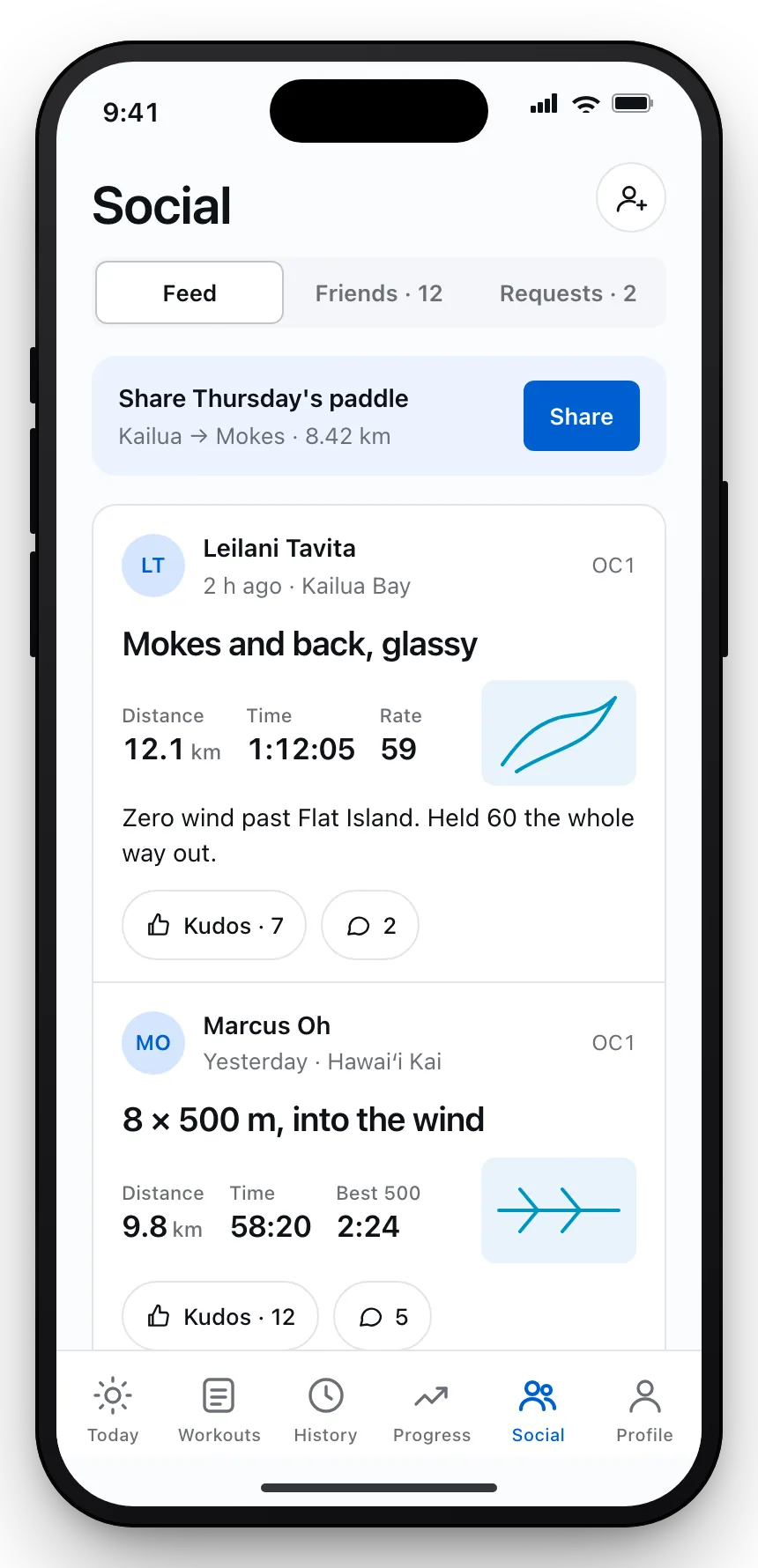
Post a session to the people you train with. Give kudos, follow crewmates, and see who was out at dawn.
Share a session card
Route, distance, time and average rate on one image, ready for the group chat.
Friends and requests
Follow the people you paddle with. Nobody else sees your sessions unless you post them.
 Sample UI
Your data
Offline first. Cloud if you want it.
Everything lives on the phone
Sessions, routes and charts are stored on the device. Atlas works the same with no signal on the water or in the boat shed.
Optional cloud backup
Turn it on in Settings and Atlas keeps an encrypted copy so a new phone starts with your history. Turn it off and nothing leaves the device.
Bring the watch or strap you already own
Apple Watch, Garmin, Fitbit or any Bluetooth chest strap. Heart rate rides along in the live tiles and the session charts. No S1 yet? Your iPhone’s GPS records speed, distance and route, a little less precisely than the boat sensor.
Atlas S1 sensor
Mounted on the boat, paired with the phone.
The S1 sits on the hull and measures the boat, not your wrist. Pair it once; Atlas reconnects on its own whenever the boat is in range.
Bluetooth, hands-off
Battery and connection status live on the Today screen, so you know before you launch.
Calibrate from the app
Level the sensor on flat water with a two-tap calibration. Atlas stores it per boat.
Paired device
Atlas S1
Connected- Measures
- Stroke rate · speed · distance per stroke · stroke count · stroke power
- Connection
- Bluetooth to iPhone
- Mount
- Hull-mounted, one per boat
- Status in app
- Battery · signal · last calibration
Get started
Your next paddle, measured.
Atlas for iPhone with the Atlas S1 sensor. Plan the week, paddle it, and keep every session where you can find it.
 Sample UI