Sign in
DB Race Central Invite-only beta

Your next race, and where your club stands.

One app for the whole regatta: heats, lanes and marshalling times for racers, crews and entries for clubs, and timing and official results for the race office.

Will use your Torix Account. One sign-in for every Torix product, with no separate signup. Following races needs no sign-in; race-day tools come with an invite. Sign in

Events, schedules and results are open to everyone. Race-day tools for clubs and race offices run on invitation during the beta.

Built for racers, club admins and race organizers.

Sample UI

The app’s own screens, playing through a sample regatta.

One app, three views

The app’s own screens, playing through a sample regatta. It moves through each view on its own; pick a view or a screen to jump to it. Everyone signs in to the same Race Central; club admins and organizers switch views from the account menu.

torixtech.app/products/db-race-central
Sample UI

Today

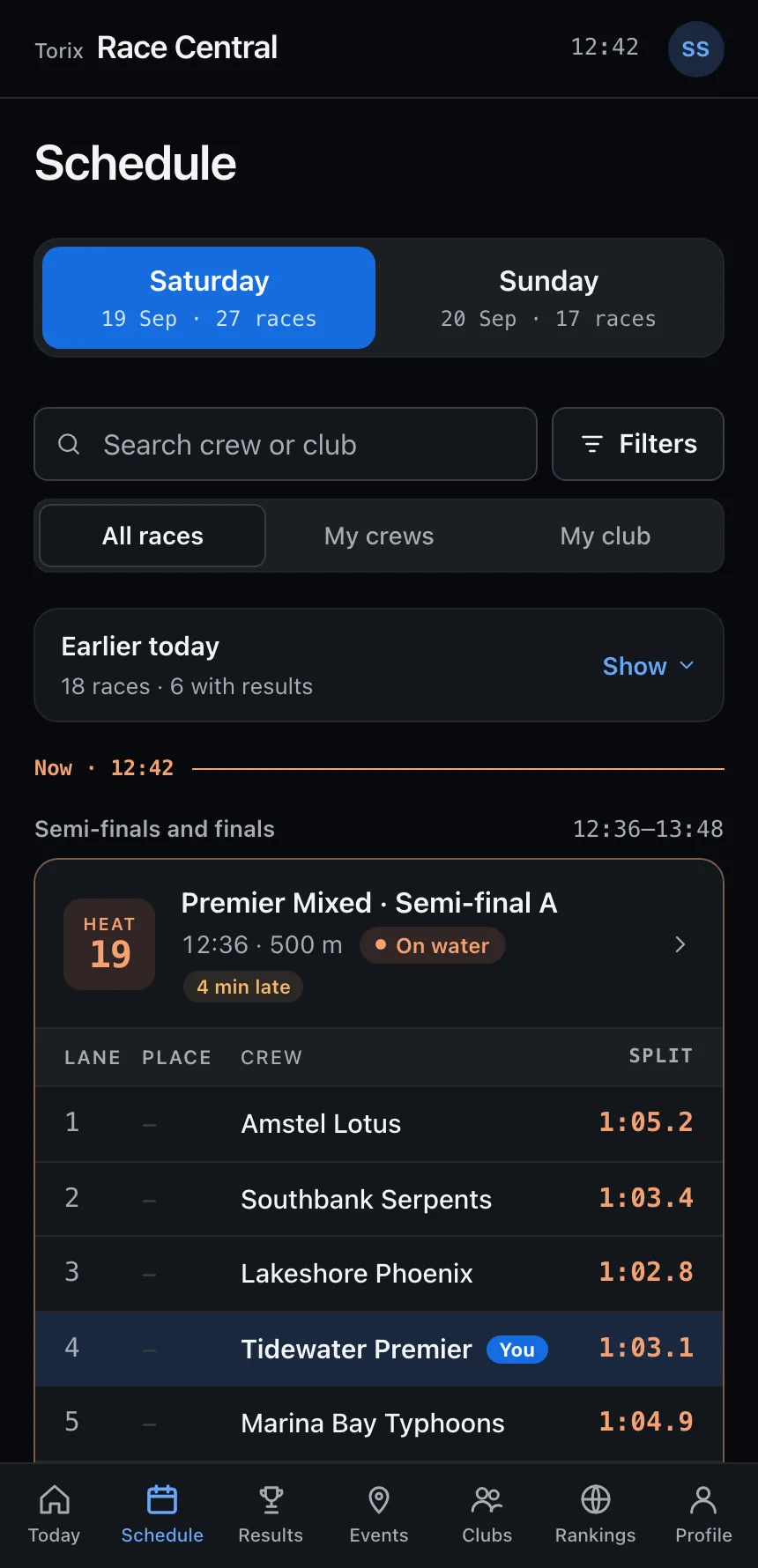
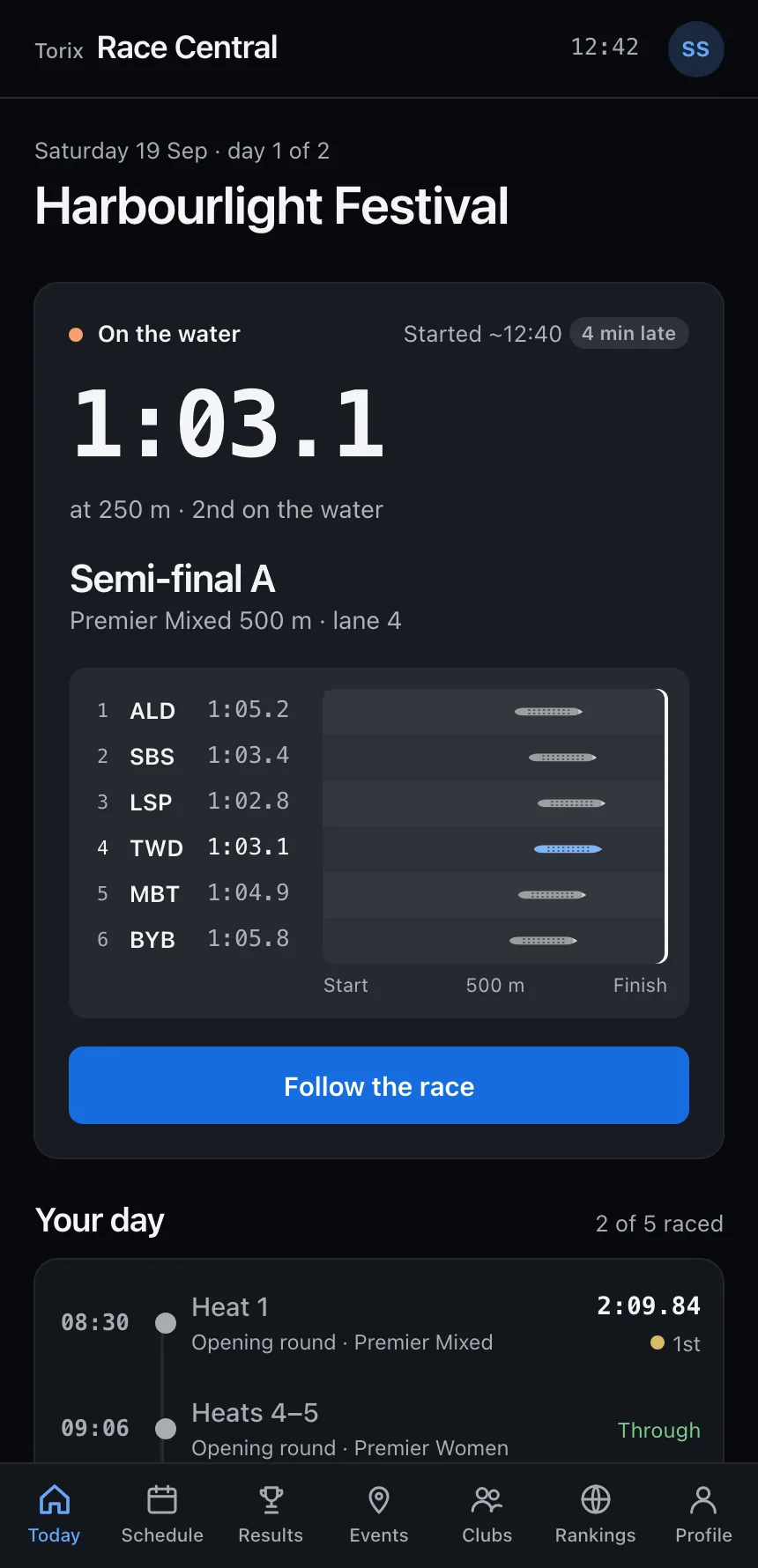
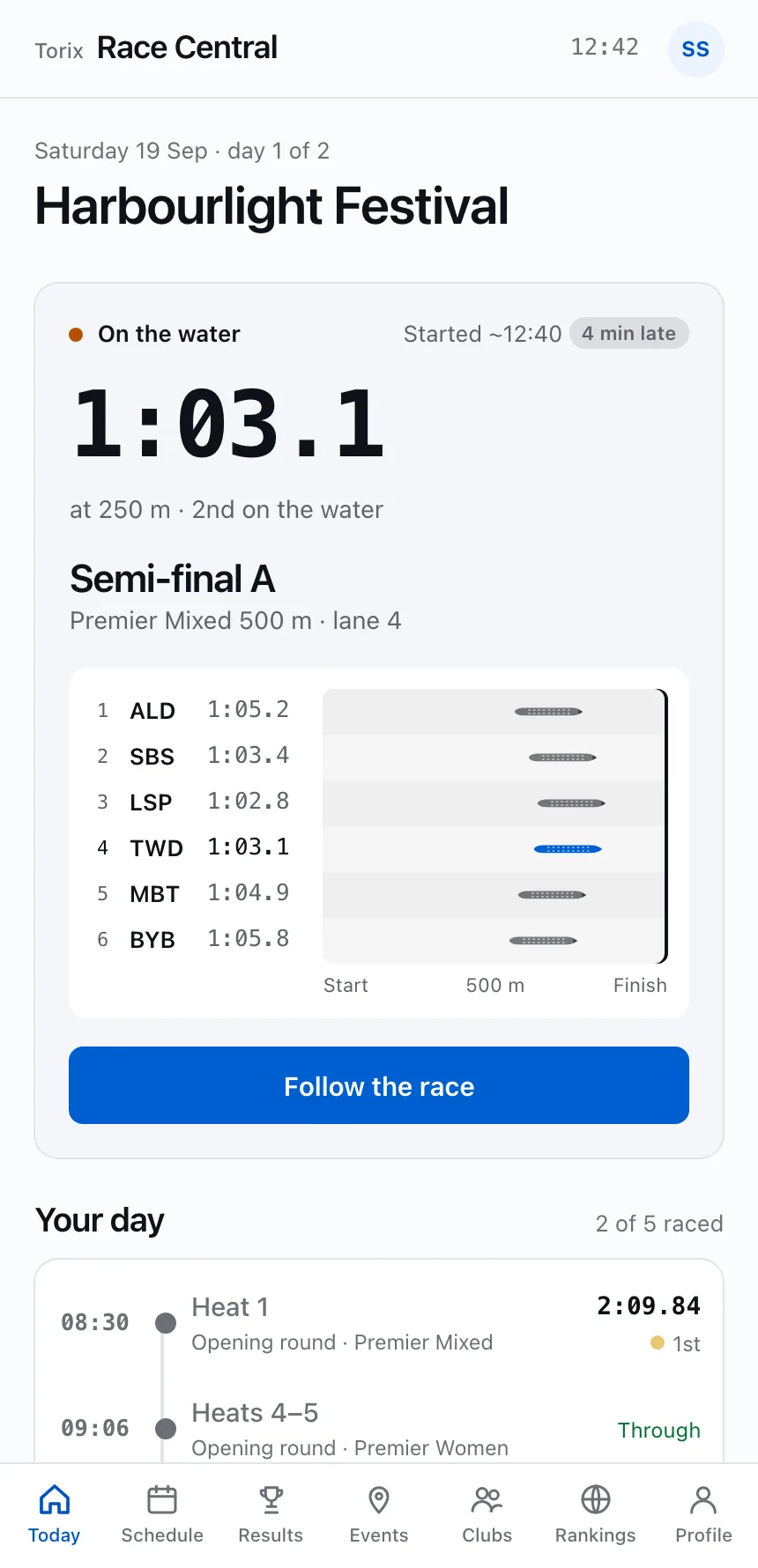
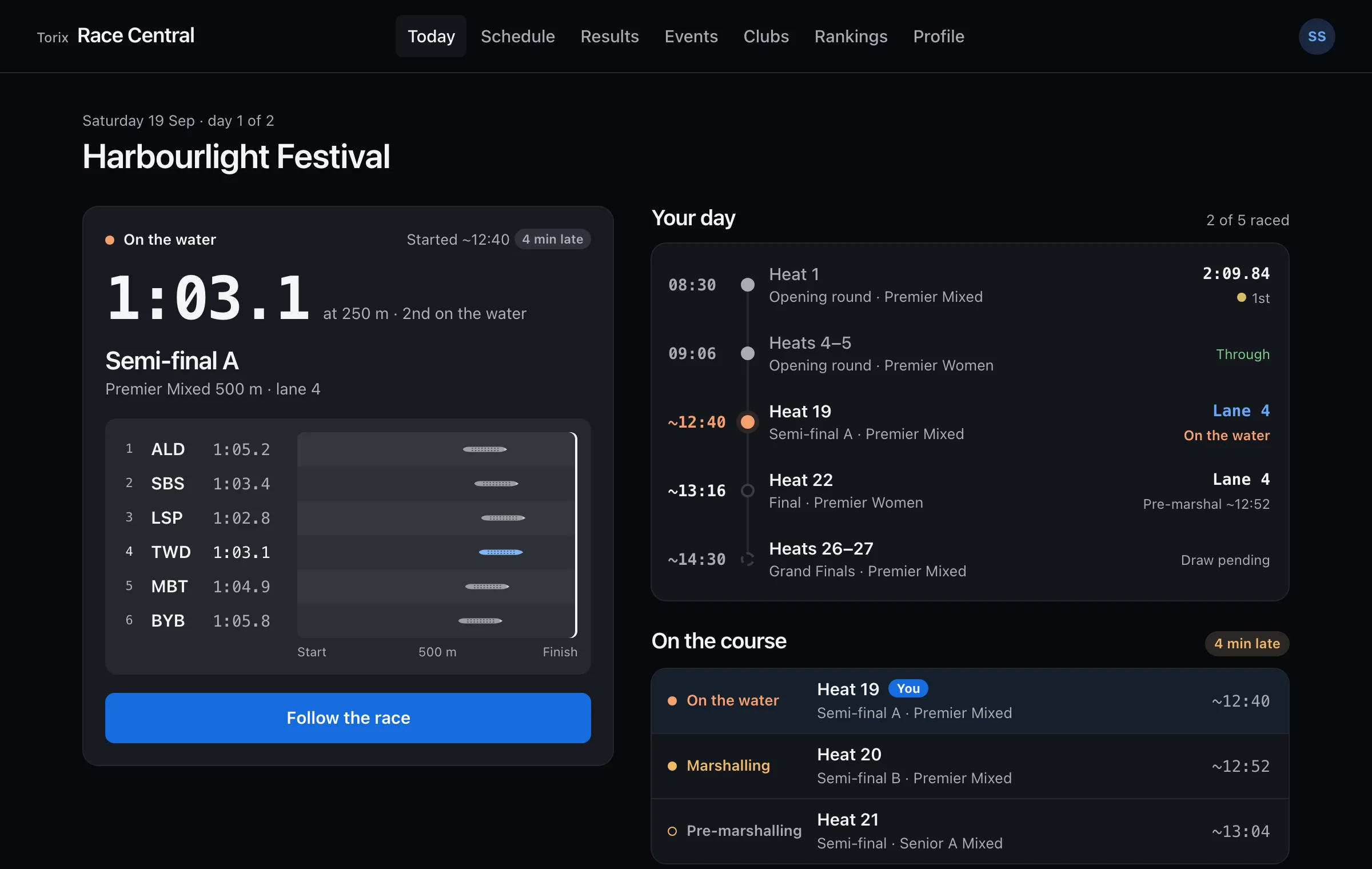
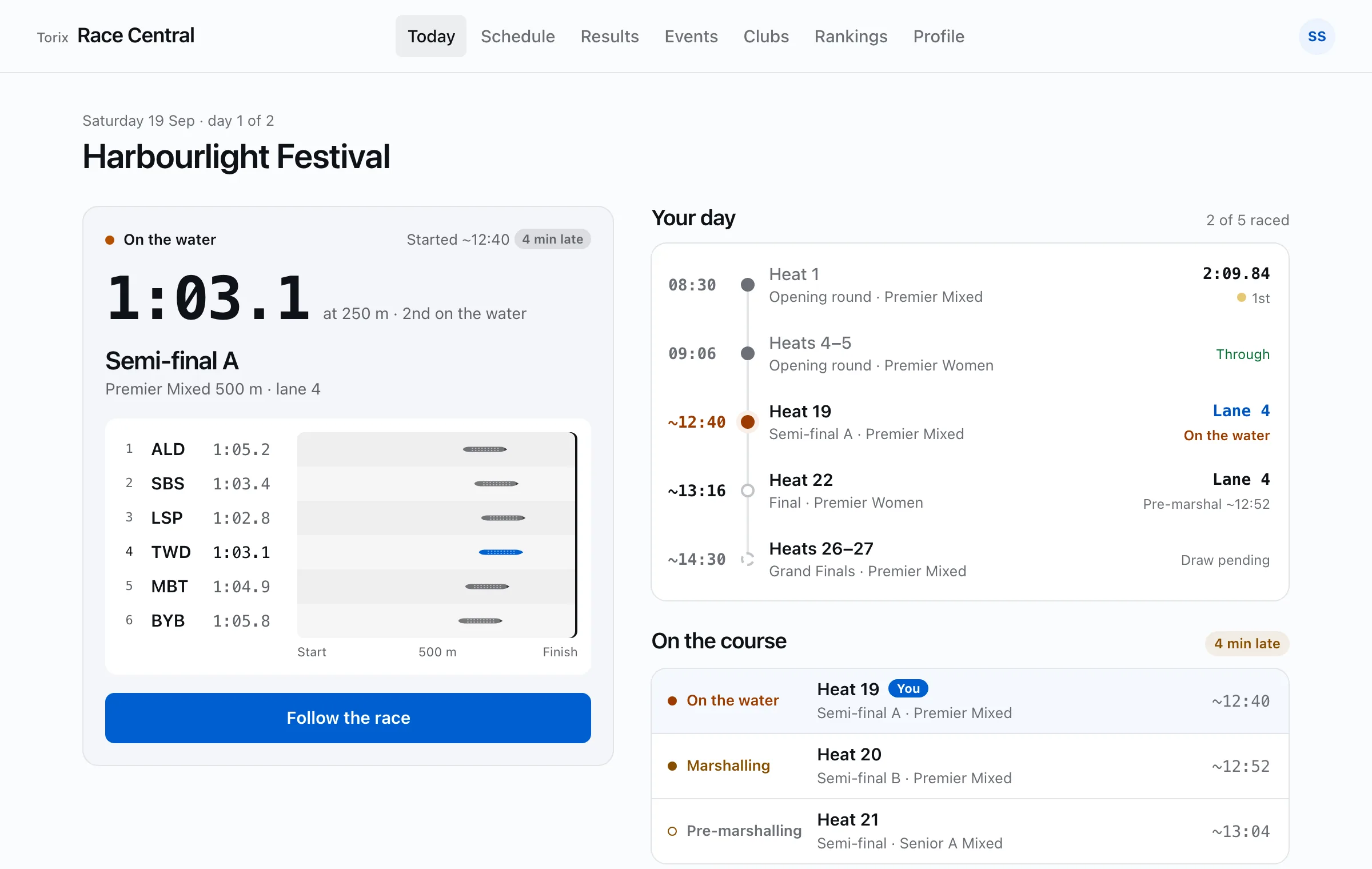
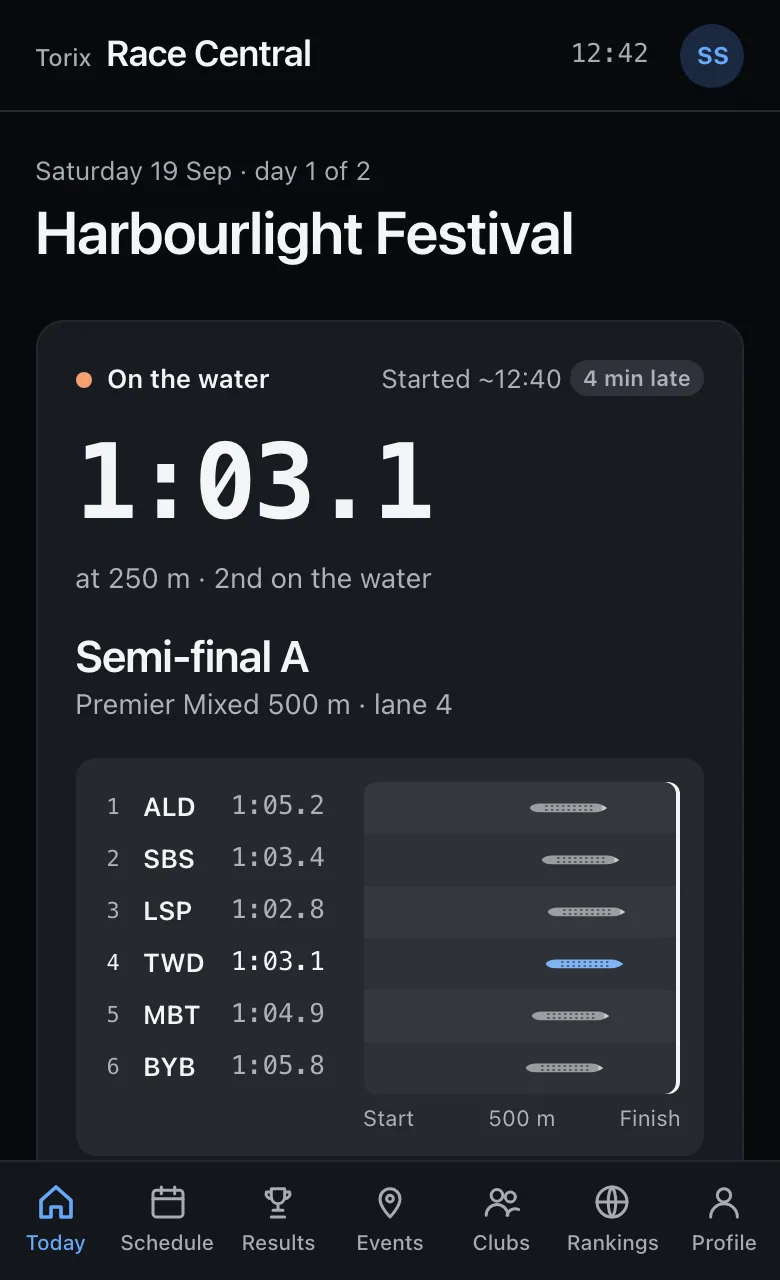
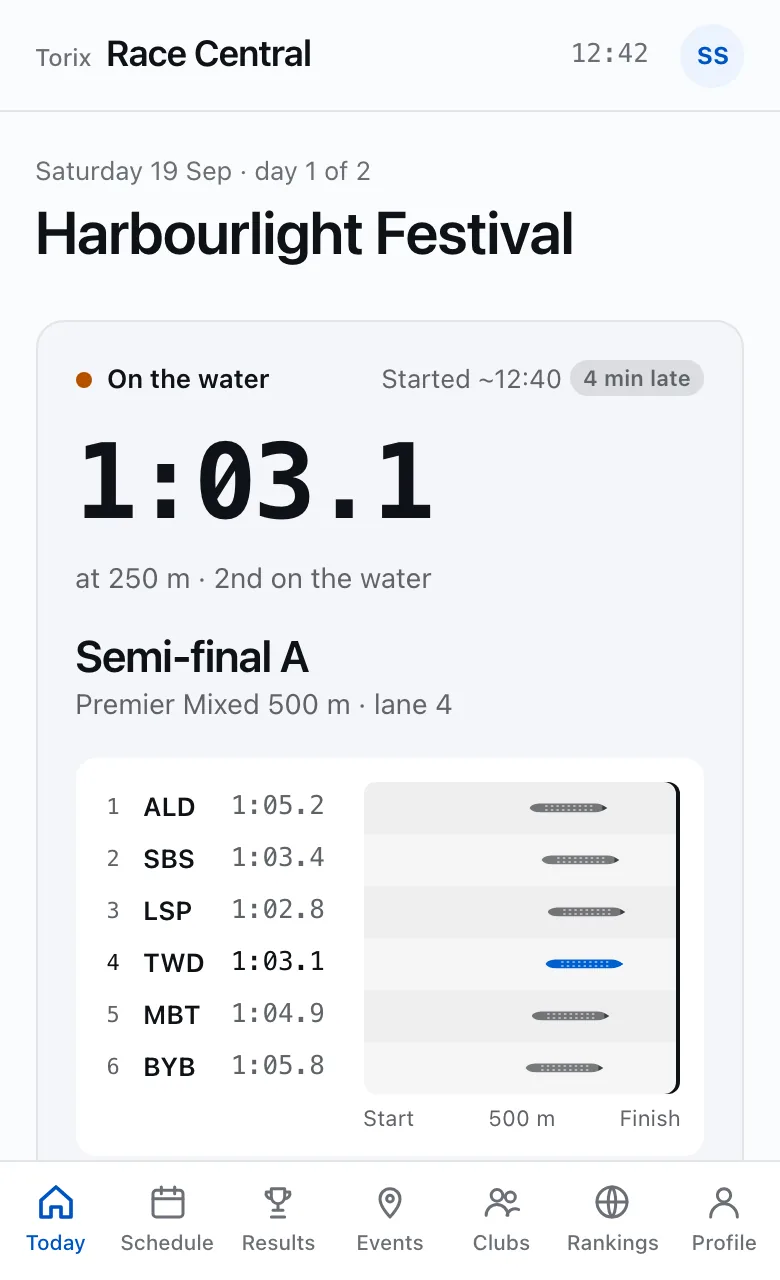
The race on the water with live splits, then your day: marshalling and pre-marshalling calls, lanes and results as they post.

For racers

Race day, answered before you ask

Paddlers check the app between races with wet hands and a few seconds to spare. Every screen answers one question: when do I race, which lane, how did we do, and where does our club stand.

Know when to be at marshalling

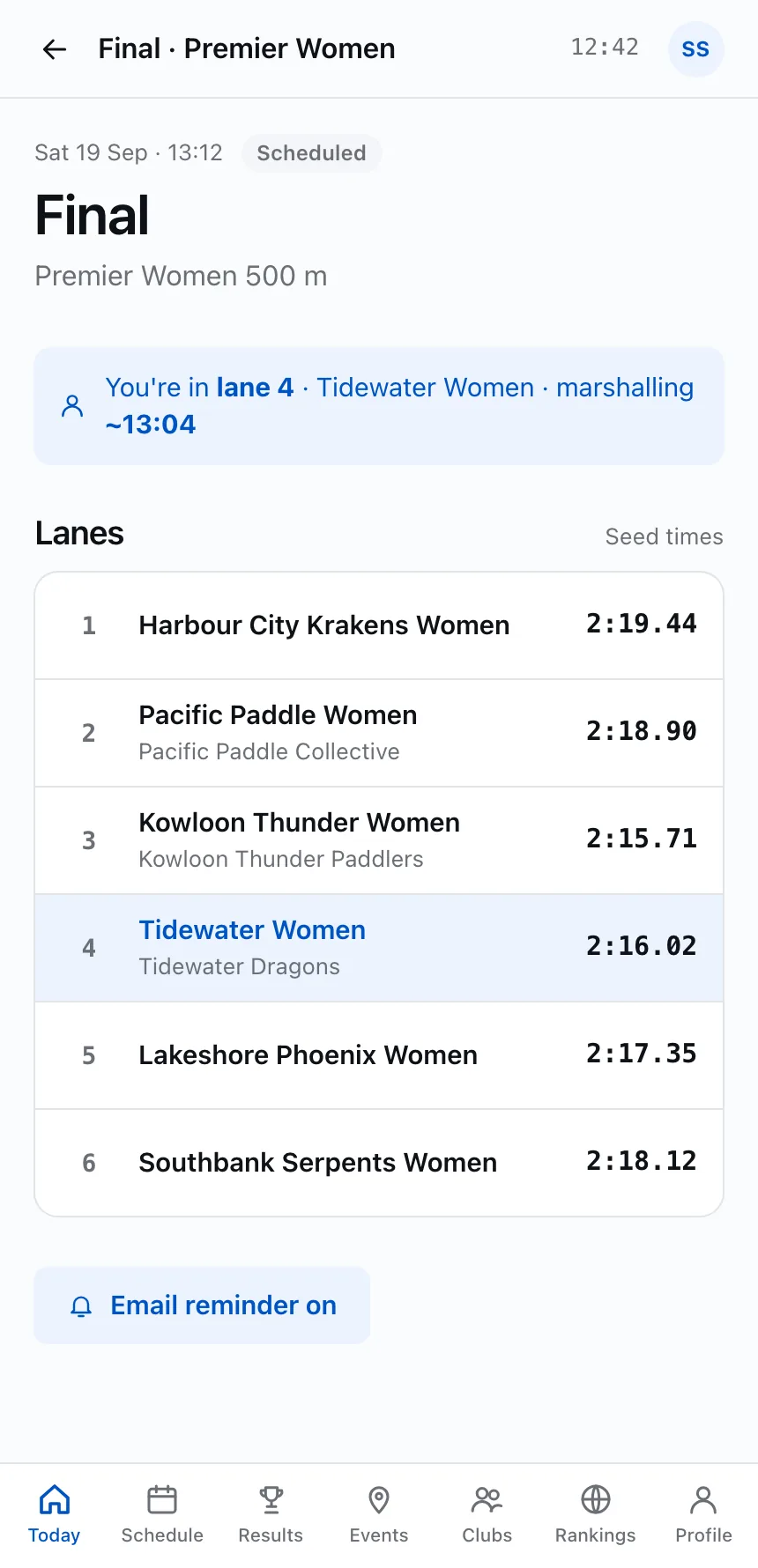
The heat after the one on the water is marshalling, and the one after that is pre-marshalling. Your own race shows its stage and an approximate start that follows the race office’s delay.

  • Early, on-time and late badges from the race office
  • Approximate starts that move when the day runs late
  • Marshalling reminders, even with no signal
Sample UI
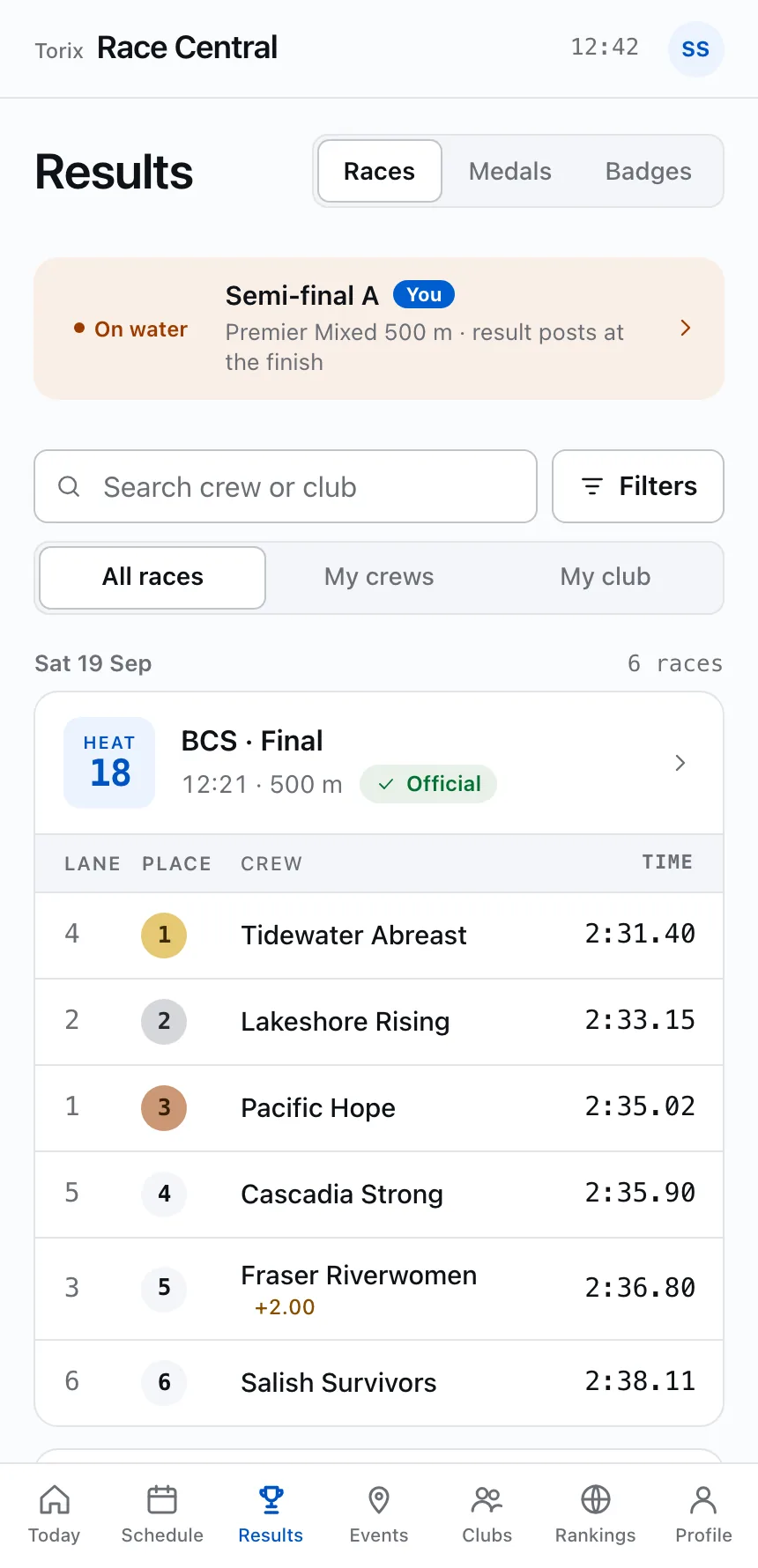
Every heat, with its lanes

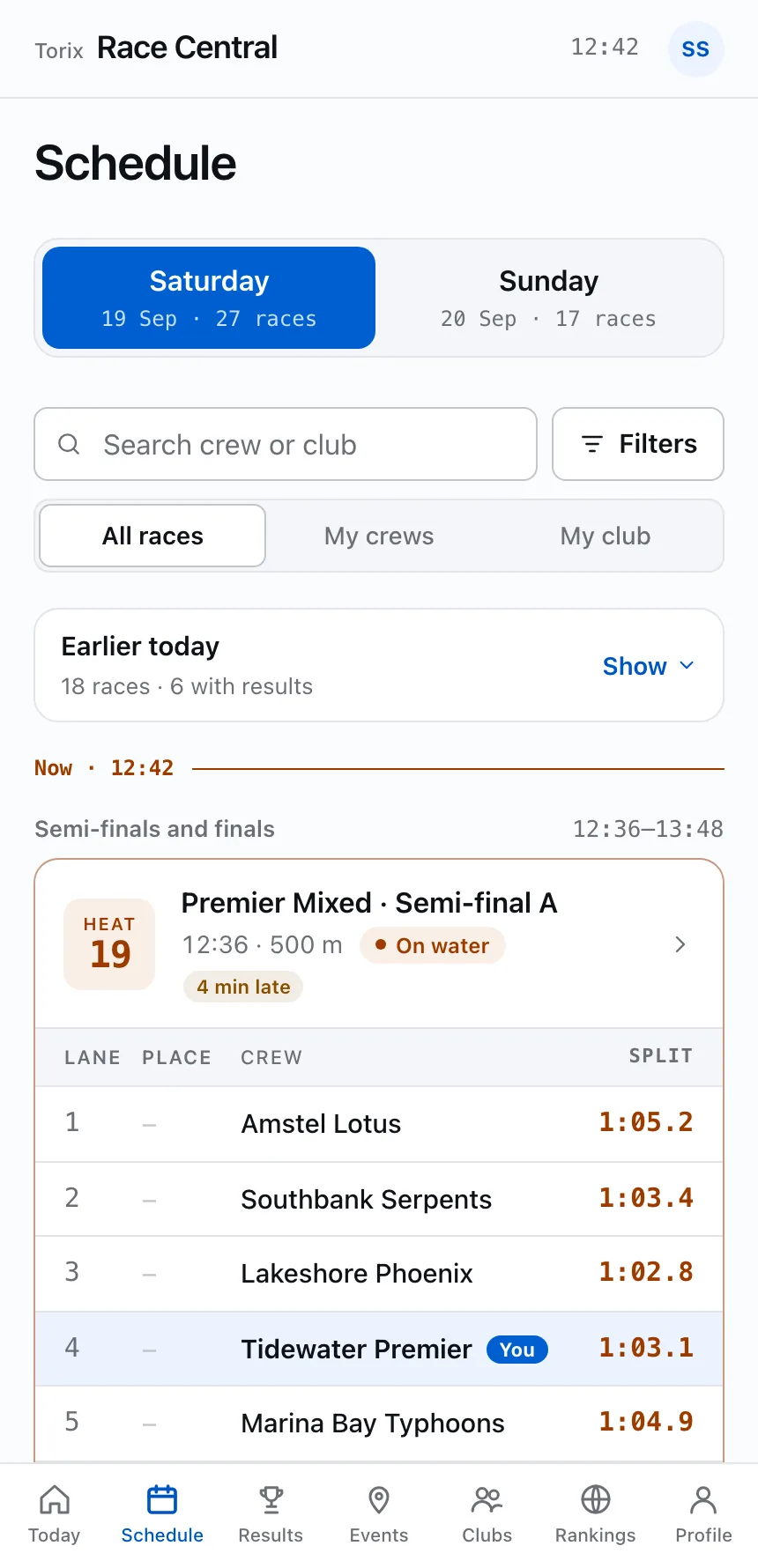
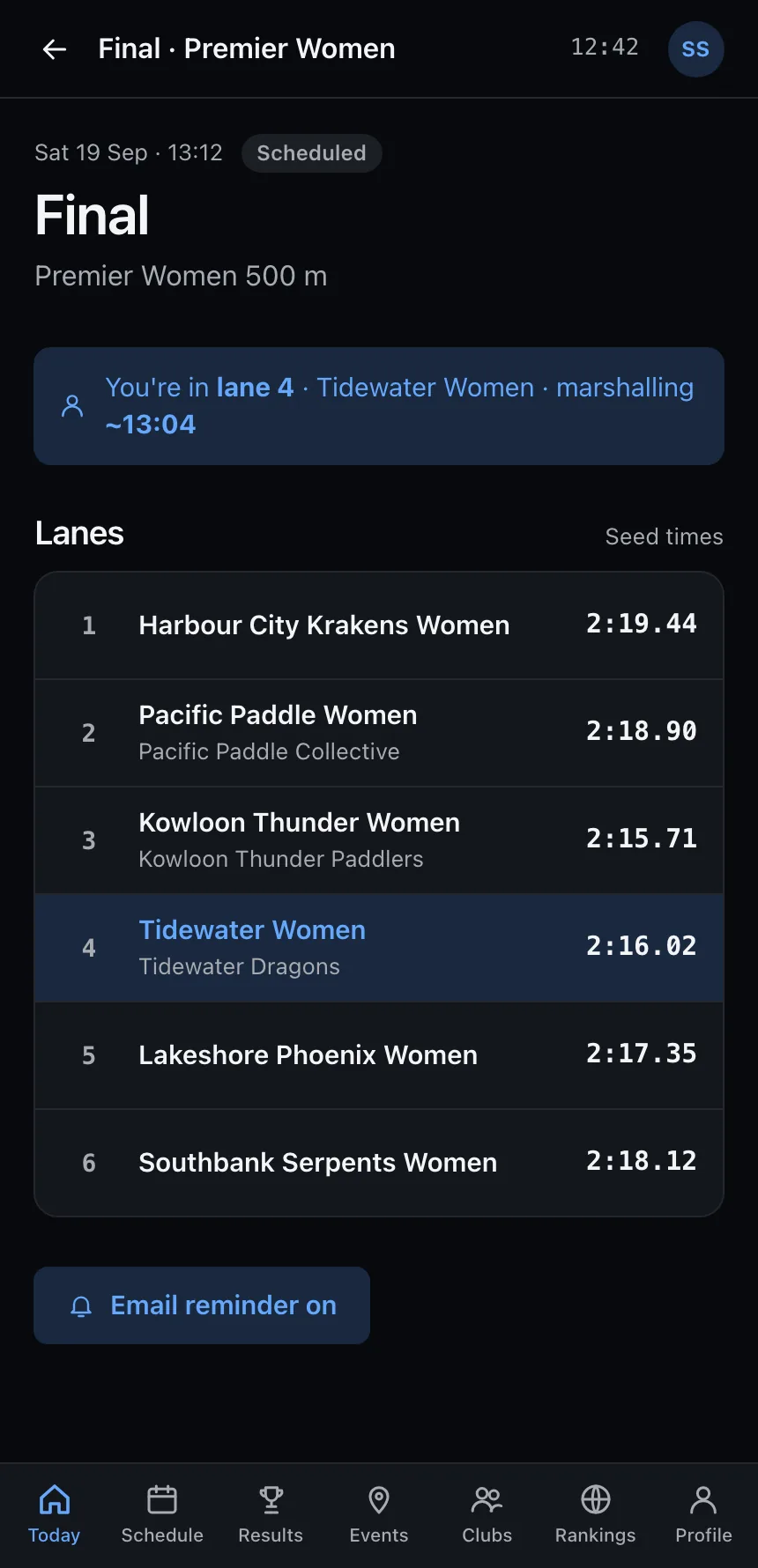
Schedule and Results show each heat as one block with the lanes inline, so you never tap into a race to see who is in it. Filter to your crews, a round or a division; the counts tell you what each filter leaves.

  • Your crew tinted and tagged in every lane list
  • Live splits while a heat is on the water
  • Search by crew, club, division or heat number in the app
Sample UI

Results with a status you can trust

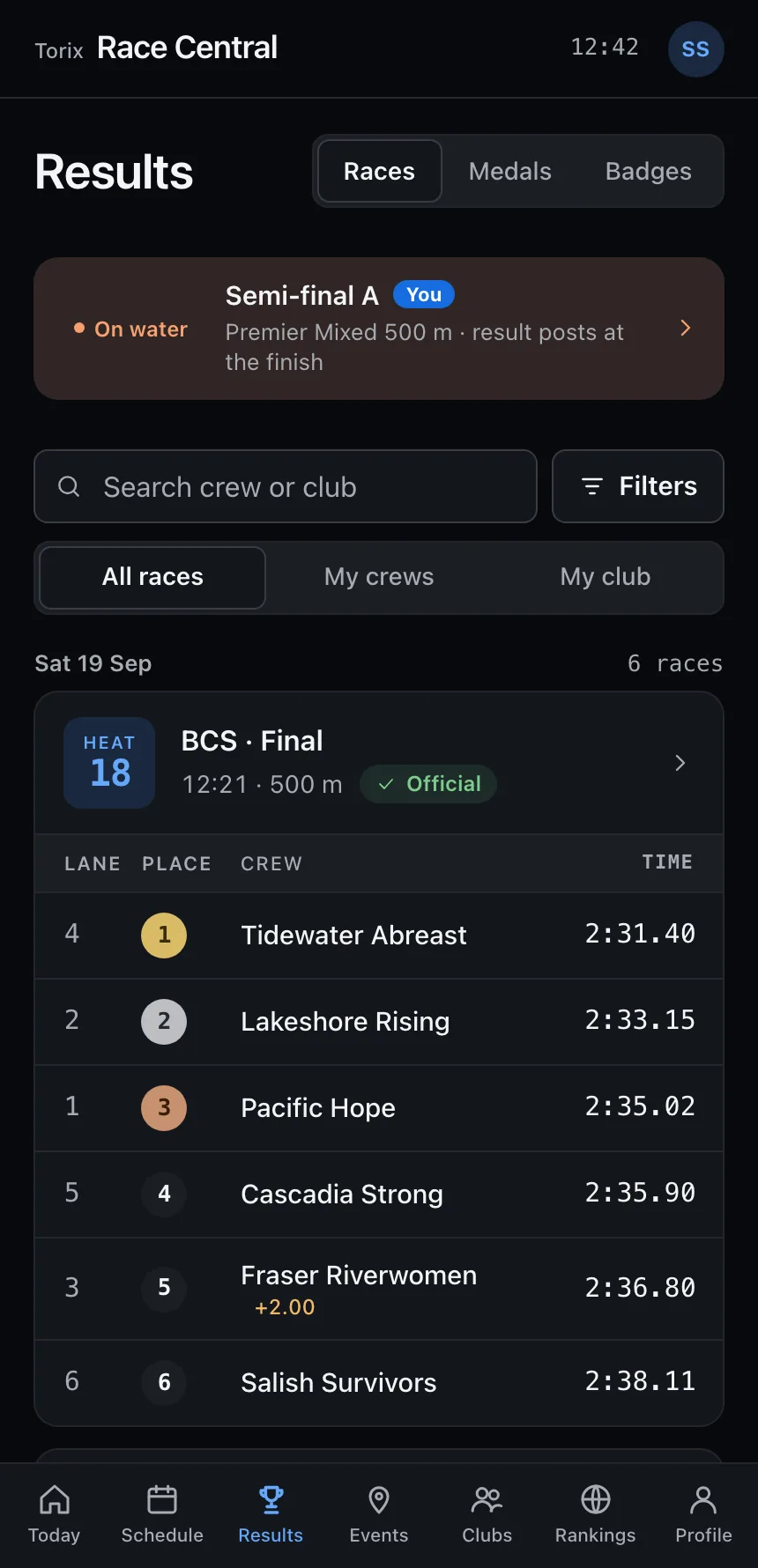
Official, provisional and protested results are labelled on every heat. Penalties keep the original time next to the adjusted one, a DNF keeps its note, and each crew shows where it goes next.

  • Places, times and gaps to the winner
  • Medals view with every decided final
  • A provisional result never looks final
Sample UI

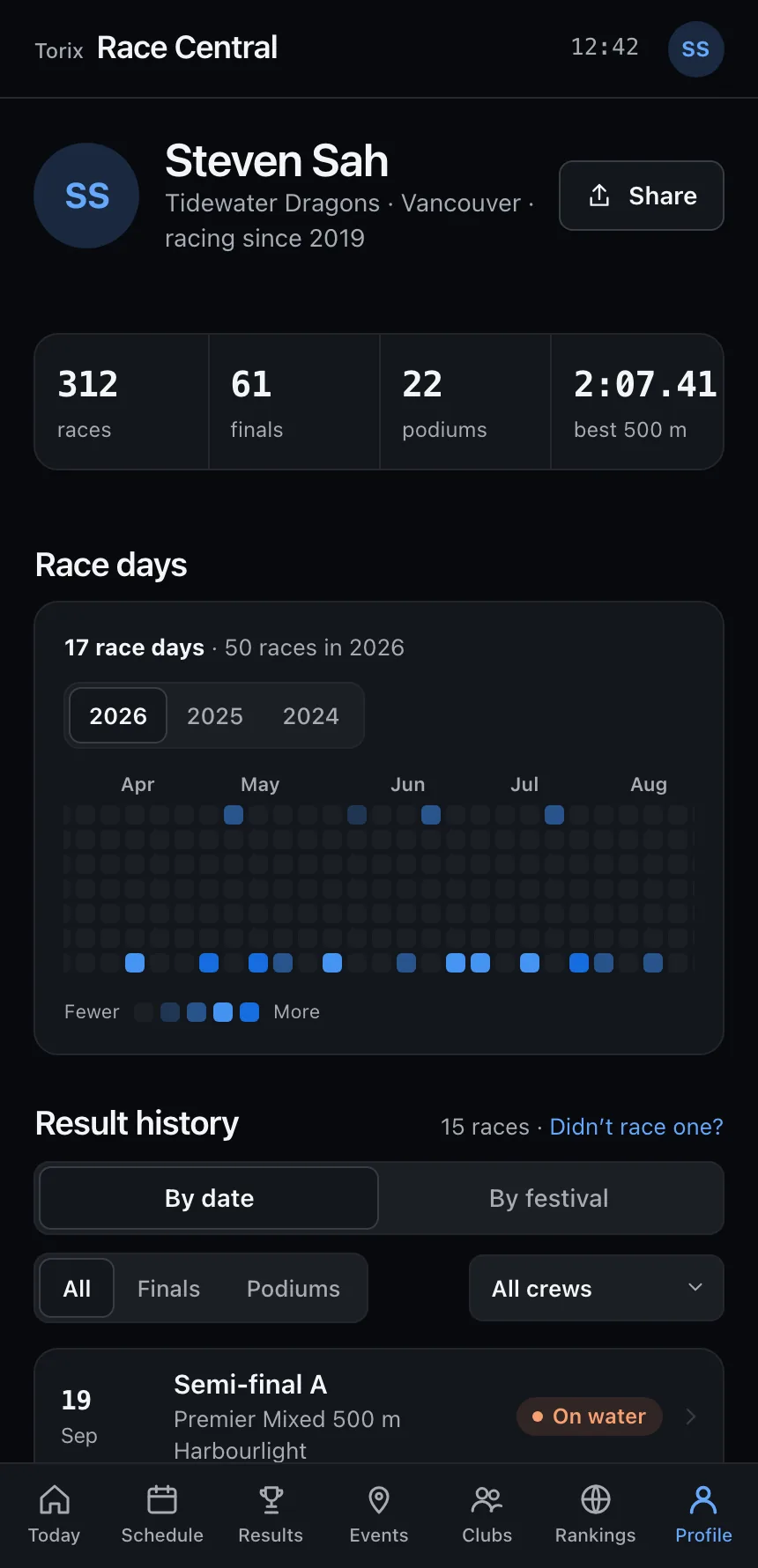
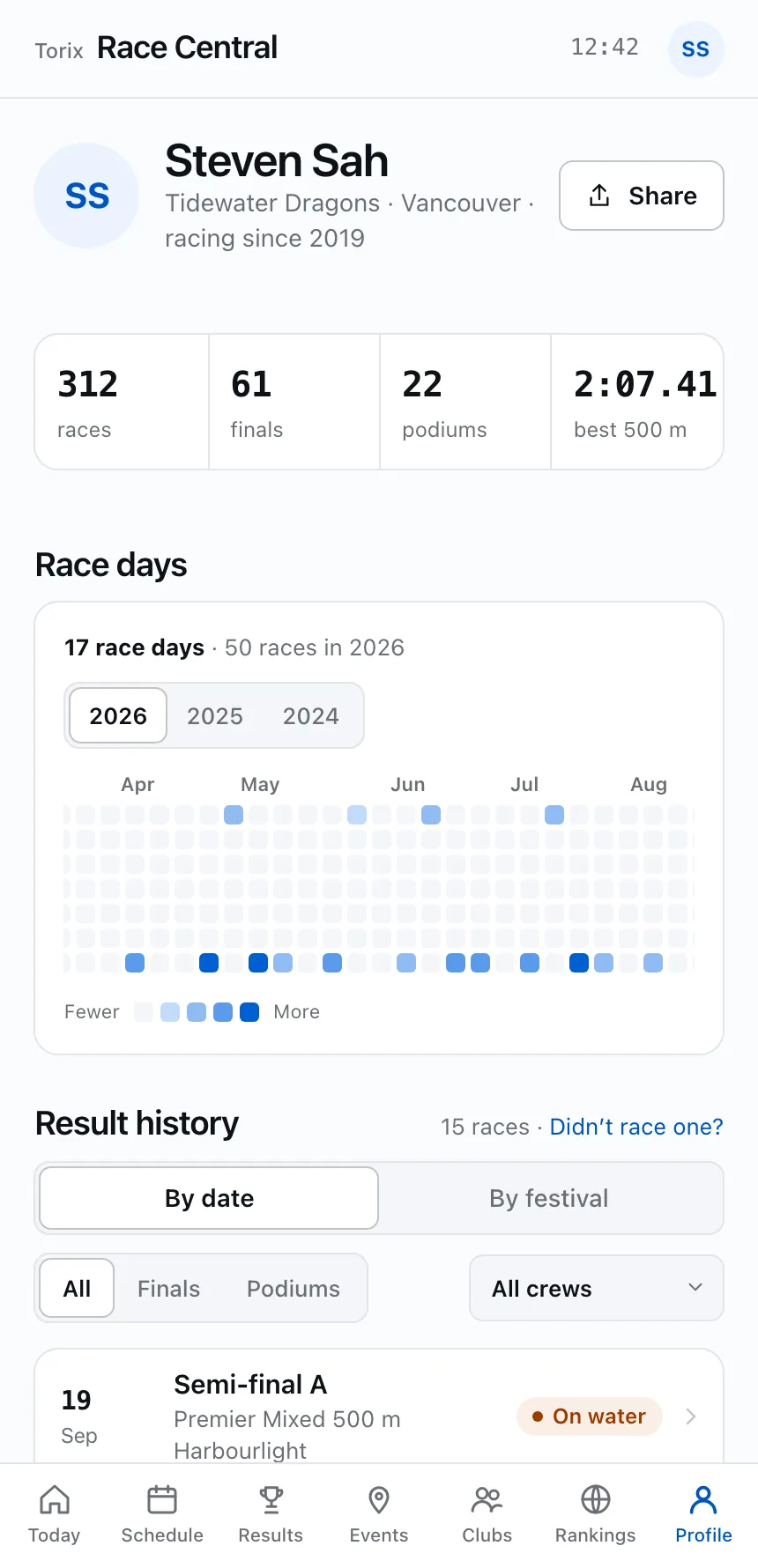
Your season on one page

Profile keeps your season numbers, a calendar of every race day and every result you have raced, by date or grouped by festival. Tap a day on the calendar to see what you raced.

  • Past seasons one tap away
  • Filter to finals, podiums or one crew
  • Personal bests marked where they happened
Sample UI

Also for racers

Events worldwide

Regattas by region with dates, distances and when entries close. The one racing now sits on top.

Clubs

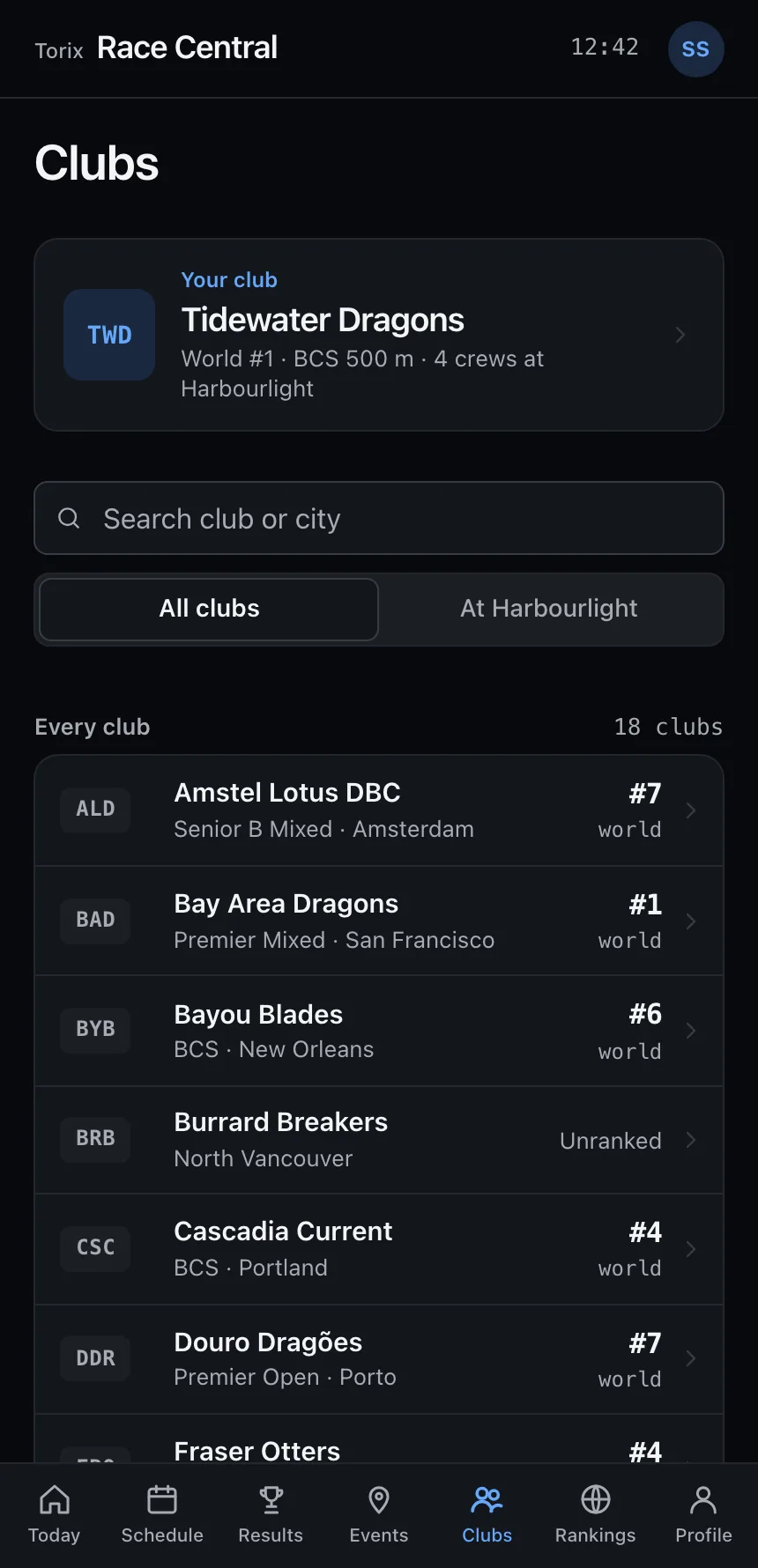
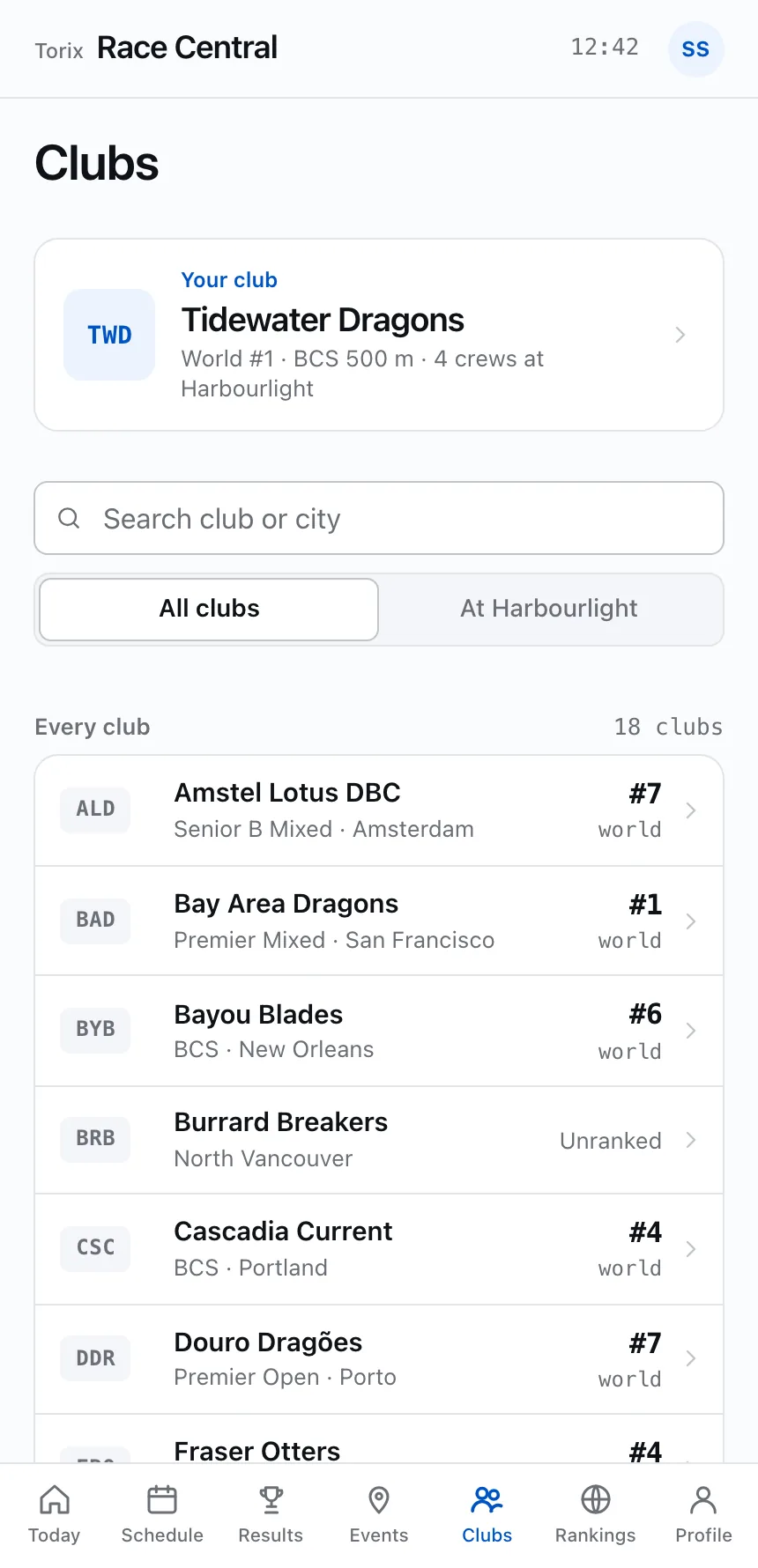
Your club first, then every club with its world rank, crews and who is racing at this event.

Rankings

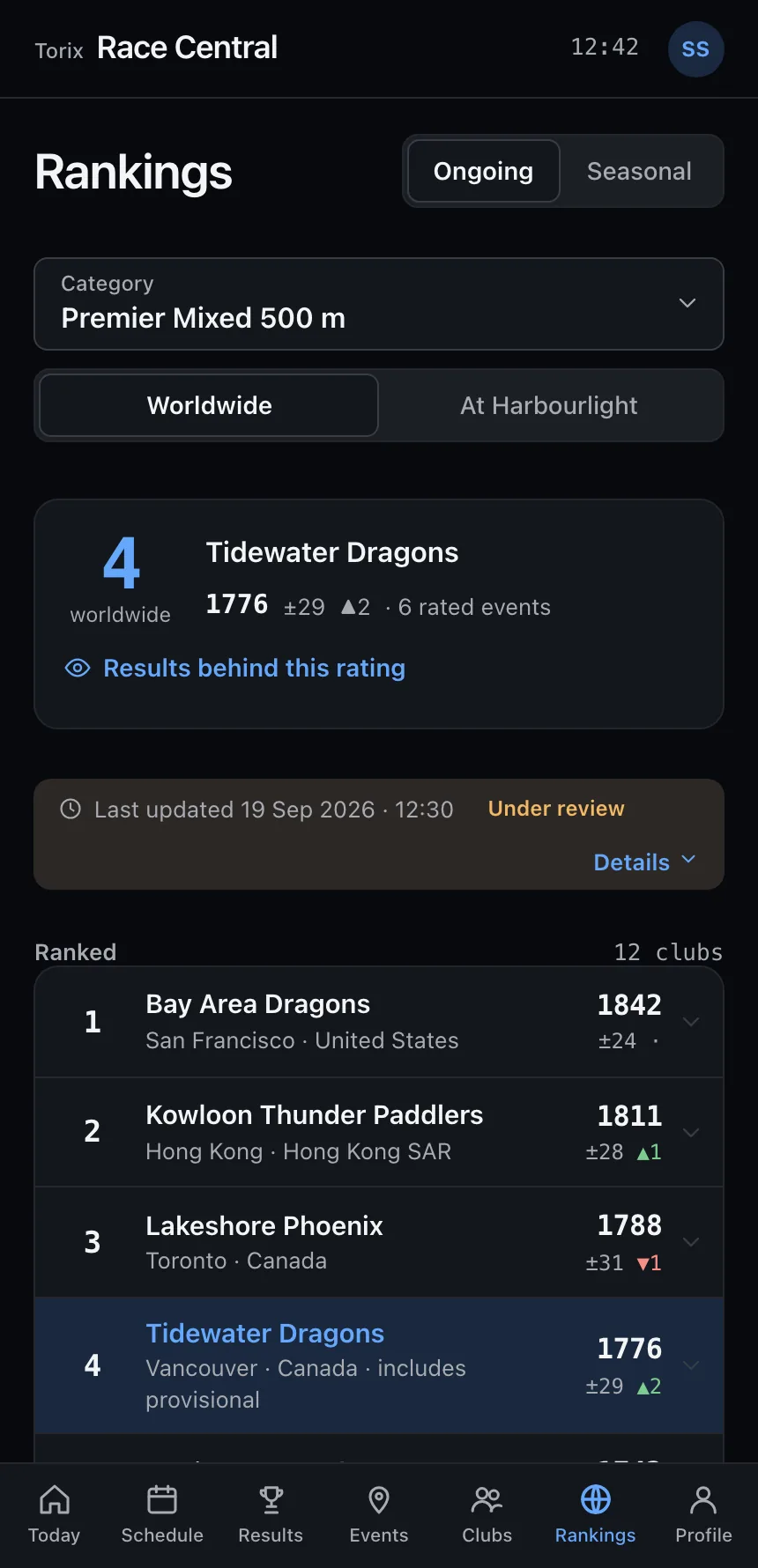
Worldwide boards per category, each rating linked to its results. How rankings work.

One race, one page

The drawn course, lanes with seed times, the result, any protest or penalty, and where each crew goes.

Offline

The programme, lane draws and results stay on your phone at the pontoon.

No account needed to follow

Events, schedules and results are public. You will be able to sign in with your Torix Account to see your crews first; appearance and reminders live in the account menu.

For club admins

Run the club side without a spreadsheet

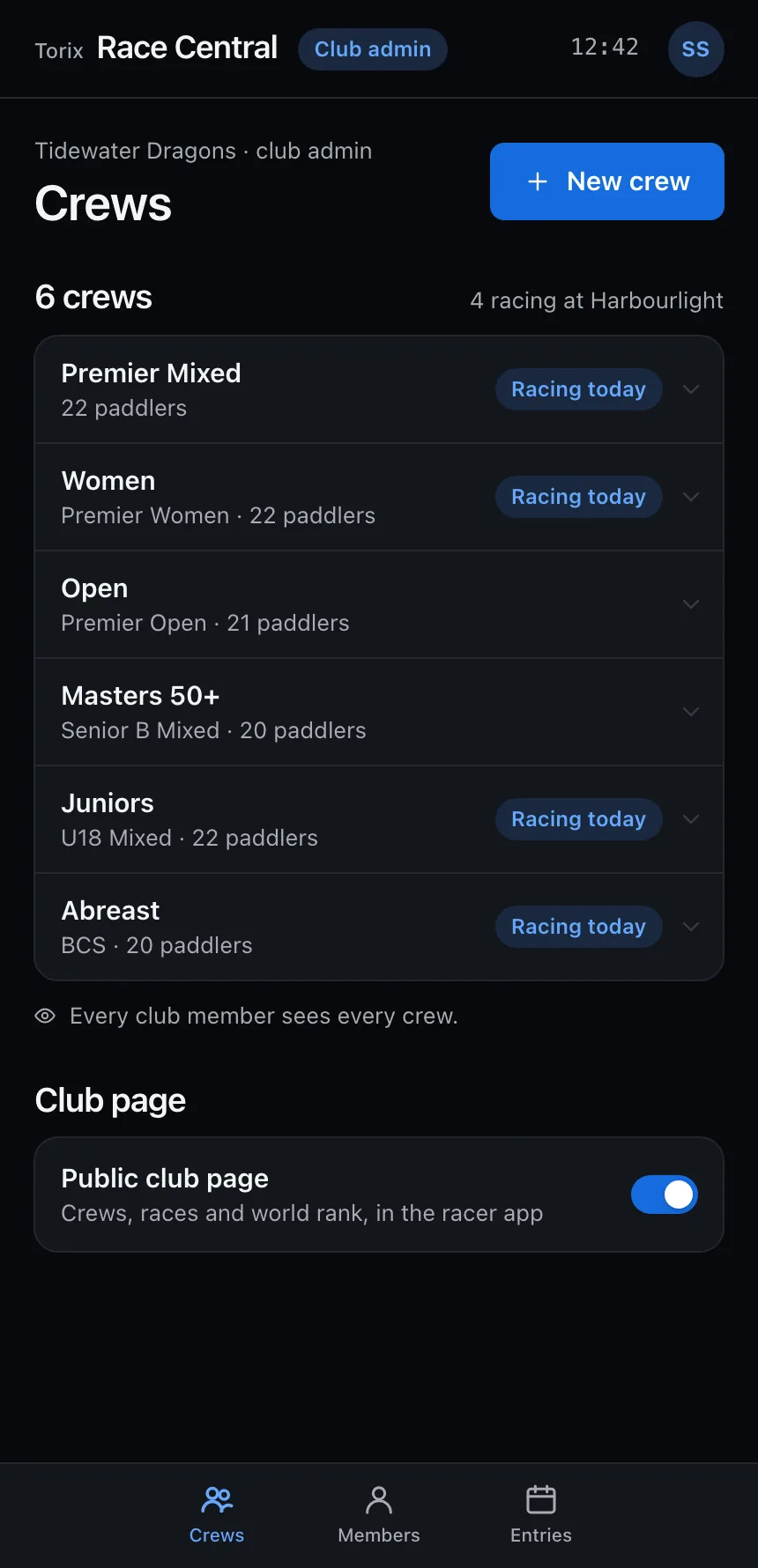
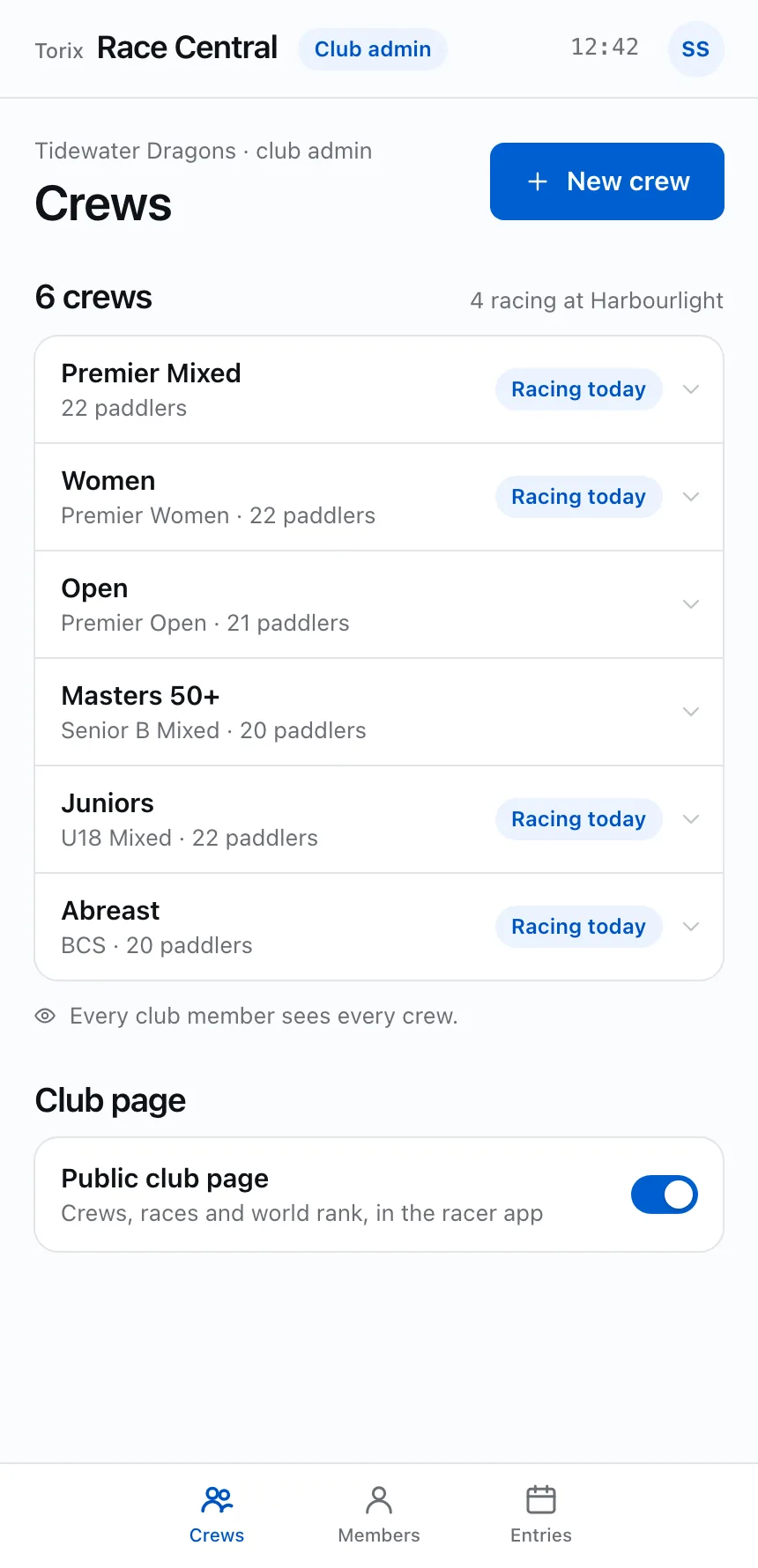
Keep one member list, set up crews every member can see, and enter events on each organizer’s own registration page. There are no lineups to manage: results come straight from the race office.

  1. Crews

    Every crew in one list, visible to every member. Add a crew in seconds and choose whether your club page is public.

  2. Members

    A private roster for admins. Search by name or role, then open anyone’s results.

  3. Entries

    Every upcoming event with a Register button that opens its race office’s own page.

Sample UI

For race organizers

The whole race office, step by step

From the registration link to the official result. Pick Race organizer in the tour above to see every step.

  1. Registration

    The link every club’s Register button opens, and when registration is open.

  2. Format and draw

    How crews are ranked, seeded and advanced, then heats and lanes drawn from it.

  3. Programme

    Both days of races, with the running delay.

  4. Timing

    Times typed from the finish sheet, with DNS, DNF, DQ and penalties.

  5. Publish

    Provisional, then official, with the audit log.

Also in the race office

Now

The race on the water, the call order with Call buttons, and a list of what needs a decision.

Entries

Confirmed, waitlisted and withdrawn crews, with unpaid entries and short rosters flagged.

Lane draw

Heats and lanes drawn from the format you chose, with any two lanes swapped by hand.

Protests and penalties

Lodged against the race, decided by the chief official, and shown to racers with the reason.

Rankings

Worldwide rankings that show their doubt

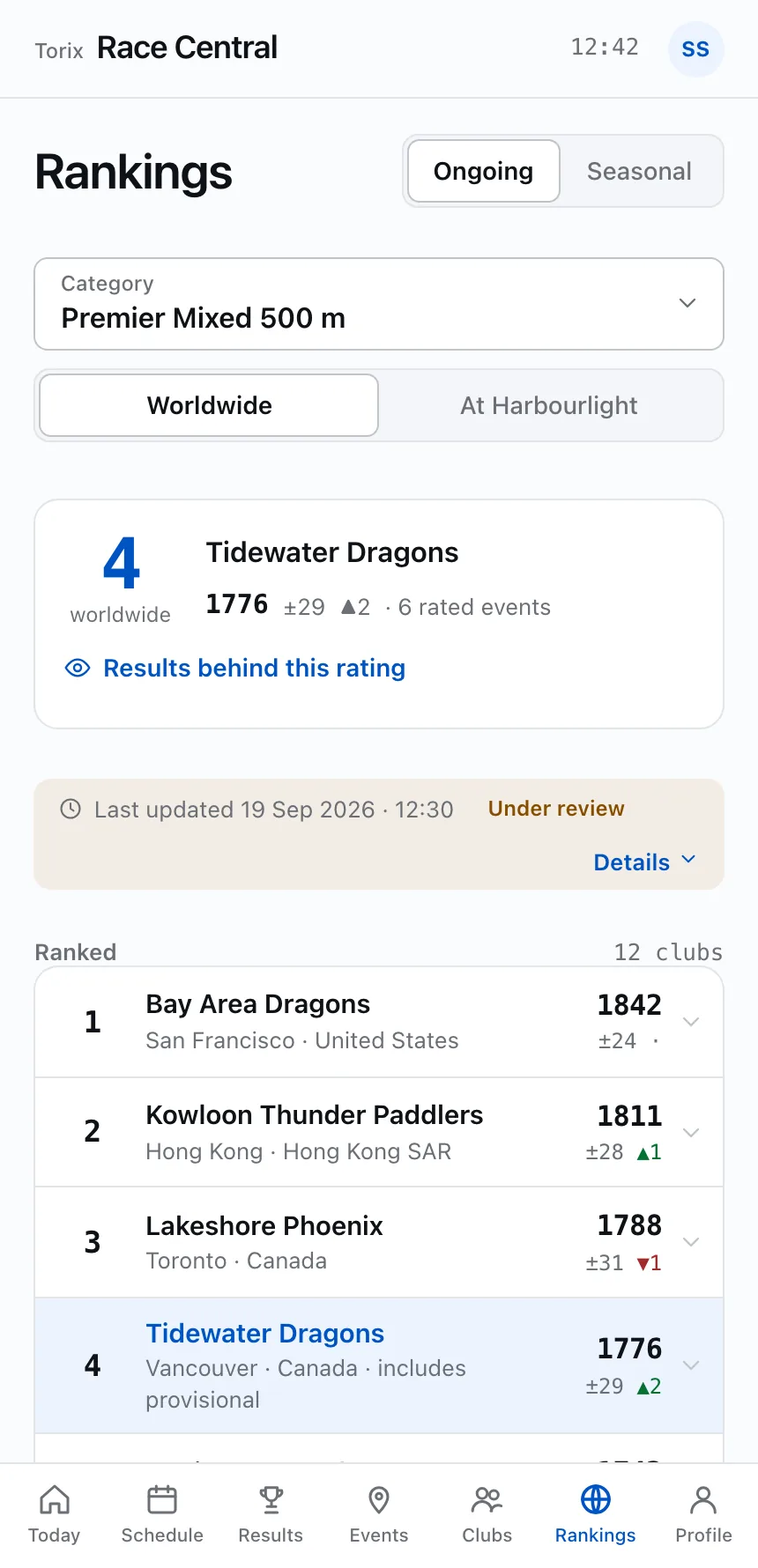
Six category boards and two rating systems. A club only gets a numbered rank once it qualifies. Every rating comes with a ± uncertainty, and a wide one tells you it rests on only a few results.

  • Ongoing covers the last 24 months. Seasonal covers one calendar year, and past years stay open as frozen archives.
  • Provisional and inactive clubs are listed in their own groups, never hidden.
  • Clubs on equal rating share a rank, shown as “=2”.
Sample UI

Every rating links to the race that made it

Open a club and its rating breaks down into results. Each result shows its status and how many points it added or took away. Provisional results count at half weight until they are official. A retracted result stays on the list, struck through, with its points reversed and the reason next to it.

Nothing is quietly rewritten

Every board shows whether it is up to date, under review, frozen or failed to update. When an update fails you see the last good snapshot and when it was taken. Corrections, retractions and cancellations are logged for everyone to read.

Who raced at Harbourlight? Every club.

Pick a division to see every club that raced there and the crews it entered, including clubs that came only with a development crew. The filter only changes who is listed. A club’s rating, qualification and world rank are the same on every list.

Sample UI

No signal at the pontoon. Still fine.

Save an event and it stays on your phone. Everything refreshes when you are back on Wi-Fi.

Full schedule, both days

With your crews’ races marked.

Lane draws and results

Each with its status, so you know which numbers are final.

Rankings with the time they were saved

Results published while you were offline are not counted until you reconnect.

Marshalling reminders

Reminders for the races you saved still go off without a signal.

Questions people ask

Why does my club have a rating but no rank?

A rank needs enough recent results to be meaningful: 3 rated events in the ongoing system, with one in the last 12 months, or 2 in a calendar year for the seasonal system. Until then your club is listed as provisional, with its rating and a wider ± shown.

What does the ± next to a rating mean?

How sure the rating is. It narrows as a club races more, and it widens when a club has few recent results. Ratings whose ranges overlap are close enough that the order between them could change with one race.

Does racing a development crew affect our club’s ranking?

No. A development crew appears in event lists under your club’s name, but it does not change your club’s rating, qualification or world rank.

What happens when a result is protested or retracted?

A protested result is marked under protest and the board says it is under review. If a result is retracted, the ratings it changed go back to their previous values. The result stays listed, struck through, with the reason.

Do organizers need timing hardware?

No. Times are typed in from the finish sheet, checked as you type, and the finish order can be changed by hand when the judges call it differently.

Do clubs register crews inside Race Central?

No. Each race office posts its own registration link, and every club gets a Register button that opens it. Crews appear in Race Central once the race office confirms them.

Is DB Race Central available now?

The race office side opens to organizers in a closed invite beta first. Invitations pass by word of mouth; write to us about your event. Release dates for the paddler app have not been announced.

Harbourlight Festival · Tidewater Basin

Watch the last 250 metres.

Open the app to follow a race, then see who goes through to Grand Final A.

Sample data: clubs, crews and paddlers are fictional.